TheRhinestoneWorld
703 old videos with fewer than 5,000 views from this channel.
-
 46:39
Overview of Basic Tools in CorelDraw X8 (06.20.16)
-
 4:45
How to Layer and Apply a Two-Color Decal to a Confetti Tumbler
-
 1:24
Intersect Tool - Silhouette Studio
-
 2:23
Different Ways to Zoom in Silhouette Studio
-
 1:51
How to Use the Ellipse Tool in CorelDraw X8
-
 3:38
How to Rhinestone your Iphone Battery Backup in Under 2 Minutes
-
 2:12
Pressing Siser Brick on a Hat
-
 4:24
Creating A Multi Color Foil Design
-
 1:16
Adding Texture to your Custom Foil Design
-
 2:20
How to Save your Transfer Tape After a Mess Up
-
 0:30
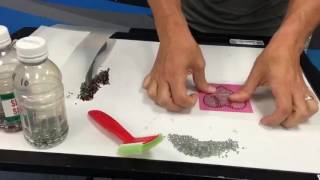
Creating a Rhinestone Car Window Decal Time Lapse
-
 9:51
How to create Rhinestone Car Decal from Start to Finish
-
 39:41
Learning the basics when working with Magic Templates in the TRW Design Wizard™
-
 0:21
Creating a Flower with the Polygon Tool Teaser
-
 5:31
How to Use TRW Magic Foil With the Minc
-
 1:40
Basics of the Align Panel - Silhouette Studio
-
 1:55
Single Arc Envelope Tool in CorelDraw X8
-
 4:21
Applying an Oversized Decal to a Corrugated Plastic Sign
-
 2:27
Cold Peel vs Hot Peel With TRW Magic Foil
-
 2:22
Using Magic Remover to Remove a Two Layer Design
-
 1:15
How to Use the Unconstrained Feature in Coreldraw X8
-
 2:01
Overview of the Silhouette Studio Offset Panel
-
 3:37
TRW NBM Long Beach 2016 Class Seminars
-
 1:04
How to Increase the Button Size in Silhouette Studio