How-to Videos
335 old videos with fewer than 5,000 views from this channel.
-
 2:09
Internet Explorer® 8: Clear AutoComplete history in Windows® 7
-
 2:21
Internet Explorer® 8: Fix an older version of Yahoo!® Toolbar problem in Windows® Vista
-
 1:48
Internet Explorer® 8: How to block cookies in Windows® 7
-
 2:28
Internet Explorer® 8: How to manage Pop-up Blocker settings in Windows® 7
-
 1:59
Internet Explorer® 8: Turn off Automatic Crash Recovery in Windows® 7
-
 2:00
Internet Explorer® 8: How to reset the default home page on Windows® Vista?
-
 1:54
Internet Explorer® 8: Improve legibility when printing webpage on Windows® Vista
-
 2:07
Internet Explorer® 8: Clear AutoComplete history in Windows® XP
-
 2:13
Internet Explorer® 8: Turn off Suggested Sites on Windows® XP
-
 2:00
Internet Explorer® 8: How to turn off Compatibility View Updates in Windows® XP
-
 2:09
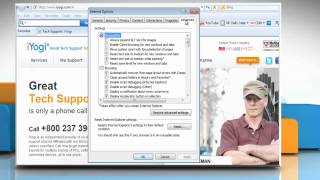
Internet Explorer® 8: How to turn on Suggested Sites on Windows® 7?
-
 2:26
Internet Explorer® 8: How to stop webpage sounds with screen readers on Windows® XP?
-
 2:27
Internet Explorer® 8: How to set the cursor to follow the screen focus on Windows® Vista
-
 2:28
Internet Explorer® 9: How to turn Smart Screen Filter off and on in Windows® Vista?
-
 2:04
Internet Explorer® 8: How to turn Smart Screen Filter off and on in Windows® 7
-
 1:39
Internet Explorer® 9: How to pin a website to the Taskbar on Windows® 7
-
 2:27
Internet Explorer® 9: How to preview and print a webpage on Windows® 7
-
 2:08
Internet Explorer® 9: How to customize the header and footer on Windows® Vista
-
 2:14
Internet Explorer® 9: How to customize the header and footer on Windows® 7
-
 2:29
Internet Explorer® 7: How to preview and print a webpage on Windows® XP
-
 2:28
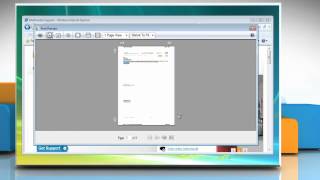
Internet Explorer® 8: How to preview and print a webpage on Windows® Vista?
-
 1:49
Windows® Vista: How to show or hide desktop icons on Windows® Vista?
-
 1:50
Windows® 7: How to show or hide desktop icons on Windows® 7?
-
 1:45
Windows® 7: How to resize desktop icons on Windows® 7