Unity 2018.2 First Person Adventure Game Tutorial 5 - Displaying Instructions Text on Screen
3,909 views · Published 17 December 2018 · 12:07 · Indexed 19 October 2026
Channel: Magic Monk · 2018 · Education
In this series of tutorials you will learn how to program a First Person Adventure game in Unity in C#. In this fifth lesson you learn how to use Unity UI to display text on the screen, and you also learn how to trigger an event to change the text, by doing something in the game (e.g. touching an object in the game).
More from this channel
-
 0:31
Phil & Eddie Basketball / streetball moves compilation
0:31
Phil & Eddie Basketball / streetball moves compilation
-
 2:47
Tai Chi demonstration section 1 楊式太極演式 第一段
2:47
Tai Chi demonstration section 1 楊式太極演式 第一段
-
 1:42
Amazing magic trick tutorial - see through cards!!
1:42
Amazing magic trick tutorial - see through cards!!
-
 5:52
Tai Chi tutorial part 2
5:52
Tai Chi tutorial part 2
-
 1:06
Lindy Hop Beginner Lesson 4
1:06
Lindy Hop Beginner Lesson 4
-
 1:38
Lindy Hop Beginner Lesson 6
1:38
Lindy Hop Beginner Lesson 6
-
 2:26
Lindy Hop Beginner Lesson 7
2:26
Lindy Hop Beginner Lesson 7
-
 25:36
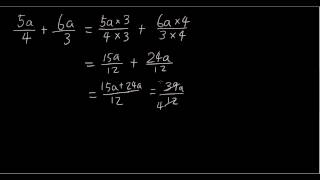
Year 10 Extension Maths - Rational expressions
25:36
Year 10 Extension Maths - Rational expressions