Setting up your user account | Adobe Acrobat
2,494 views · Published 12 May 2016 · 2:55 · Indexed 21 September 2026
Channel: Adobe Acrobat · 2016 · Science & Technology
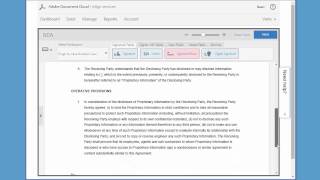
This tutorial details the recommended first steps to get your user account ready to use; verifying your profile information, choosing your signature option, and setting up notifications.

Scan, edit, review, sign - all on the go. Adobe Acrobat gives you the tools to maximize your workflow and get your team running like a well-oiled digital machine.

Subscribe to Adobe Acrobat: https://adobe.ly/42mWCEo

Learn more about Adobe Acrobat: https://adobe.ly/4cfKhVW

About Adobe Acrobat:
Stay productive at home or on the go with Adobe Acrobat. Easy-to-use tools designed for phones, tablets, and desktop give you the power to quickly edit text and images inside your PDF from anywhere. With minimal effort, you can flip, crop, resize, or replace images, add text, and fix typos to make sure your PDF is perfect. Make comments and mark up a PDF document with editing tools that let you type, highlight or underline text, and use freehand drawings and markings — anywhere in the file. Adobe Acrobat is the quick, secure, and reliable way to fill out PDF files, create new forms, and manage documents online — on the go or in the office. You can also add an e-signature to a form from any device. With Adobe Acrobat, senders and recipients can work within the apps they’re already using, so there’s no need to jump from app to app. With our essential PDF solution, signing and filling forms really is that easy.

With Adobe Acrobat AI Assistant, now you can engage with your document. Ask it questions and get quick answers linked to sources primarily from your doc. Then use the responses to craft your emails, presentations, and more — helping you sound like an expert in seconds. And with voice prompts in the mobile app, working on the go is easier than ever. Save time and accomplish more. One-click generative summary automatically pulls out key points to help you navigate your docs and get important info fast. Available on desktop and web.

Create and edit PDFs. Collaborate with ease. E-sign documents and collect signatures. Get everything done in one app, wherever you work. Acrobat’s got it.

Connect with Adobe Acrobat:
Instagram: https://www.instagram.com/adobeacrobat
Facebook: https://www.facebook.com/adobeacrobat/
Twitter: https://twitter.com/Acrobat
LinkedIn: https://www.linkedin.com/adobe-document-cloud/

#Adobe #AdobeAcrobat #AdobeYouTube

Setting up your user account | Adobe Acrobat
https://www.youtube.com/watch?v=-LuU15jX-4I
More from this channel
-
 5:09
How to send a PDF From with Acrobat.com | Adobe Acrobat
5:09
How to send a PDF From with Acrobat.com | Adobe Acrobat
-
 1:08
Using 'Only I Sign' to sign and send a document | Adobe Acrobat
1:08
Using 'Only I Sign' to sign and send a document | Adobe Acrobat
-
 3:19
The Future of Work: Digital Natives & Workplace Communities | Adobe Acrobat
3:19
The Future of Work: Digital Natives & Workplace Communities | Adobe Acrobat
-
 1:08
Think Tank by Adobe: The Tech Industry Goes Indie | Adobe Acrobat
1:08
Think Tank by Adobe: The Tech Industry Goes Indie | Adobe Acrobat
-
 7:15
Adobe Think Tank: How will AI Change the Way We Bank? | Adobe Acrobat
7:15
Adobe Think Tank: How will AI Change the Way We Bank? | Adobe Acrobat
-
 1:08:20
IT Roundtable NYC | Adobe Acrobat
1:08:20
IT Roundtable NYC | Adobe Acrobat