🗓️ How to Make a Perpetual Calendar for Birthdays and Anniversaries
3,616 views · Published 22 November 2018 · 2:21 · Indexed 20 November 2026
Channel: AmsSoftware · 2018 · Howto & Style
Fed up with missing important birthdays and anniversaries? You need a birthday reminder! Check out this guide to learn how to make a perpetual calendar with Photo Calendar Creator: http://photo-calendar-software.com/how-to-make-a-perpetual-birthday-calendar.php?utm_source=youtube&utm_medium=ams-main&utm_campaign=short


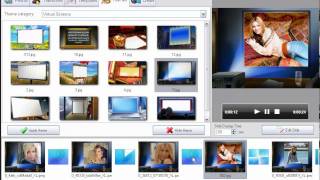
Need to gather all your family holidays in one reminder? A perpetual calendar is a real catch in this case. You make it once and will never forget about a single birthday or another significant date. To create your own perpetual calendar, you’ll need Photo Calendar Creator and a couple of minutes of your time. Making a calendar for any year is extremely easy in this program.

Ready to discover how to make a perpetual calendar? Then download the program and follow the 5 easy steps listed below:

① Run Photo Calendar Creator and start a new project
② Choose Perpetual Calendar layout
③ Select a template: horizontal or vertical; multi-page, quarterly or wall poster calendars
④ Add your photos and personal holidays
⑤ Save and print your perpetual birthday calendar.

Photo Calendar Creator offers you a set of ready-made yet customizable templates and you can personalize everything: fonts and colors, month styles, pages and covers design.

For professional tips on creating calendars at home, watch the videos:
How to make a desk calendar without Photoshop - https://youtu.be/nReFm_gG2RA
How to make a photo collage calendar - https://youtu.be/rxhijTyRGME
How to make a photo calendar for Christmas - https://youtu.be/R2XomeZhfxc


Download Photo Calendar Creator software and make gorgeous personalized calendars!

➜ Subscribe to our channel not to miss any of our new videos: https://www.youtube.com/user/AmsSoftware