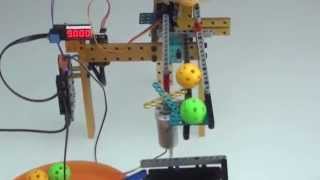
#MFR15 Maker Faire Rome 2015, Makeblock mBot Workshop
1,179 views · Published 19 October 2015 · 0:23 · Indexed 6 November 2026
Channel: xTool Education · 2015 · Howto & Style
Video: https://www.youtube.com/watch?v=chkpweFx6G4 mBot product page: http://www.makeblock.cc/mbot/ mBot is an educational robot kit for kids to learn programming, arduino, electronics and more with mBlock software, which is based on scratch 2.0. Main Features: Based on scratch 2.0 to learn programming easily developed by MIT Media Lab, nice interface and easy for everyone. Free & source code: the software is free and support Window & Mac systems. We will also open the source code later. Supports wireless communication: you can use Bluetooth or 2.4GHz wireless serial to communicate with mBot. And download the program wirelessly is supported. Mobile control support : mBot mobile app provided to control with mobile device; mBlockly mobile app created to program mBot with pad device Supports standard Arduino boards, like Arduino Uno, Lenardo boards, Makeblock mCore(Based on Arduino Uno) and etc. With open communication protocols and source code, it is easy to add new support for new hardware. Easy to use: No additional helper app. The easiest way to program your Arduino and robots. What can you do with mBot... Build a wall avoidance robot Build a line follower robot Play some musical tones. Control the robot by remote control provided or standard TV remote IR communication with other mBots for robotic cooperation like dancing. Interact with Scratch, using sensors to play games and stories in Scratch 2.0. Controlled by App to play football or fight! Get more interesting robot on http://www.makeblock.cc Don't forget to subscribe more social media here: https://www.facebook.com/Makeblock https://twitter.com/Makeblock https://www.youtube.com/user/Makeblock https://plus.google.com/+Makeblock/about https://www.pinterest.com/makeblockcc/
More from this channel
-
 1:43
Makeblock - XYZ Stage.wmv [demo]
-
 2:15
Ultrasonic tank robot [demo]
-
 6:49
Makeblock Starter Kit [project]
-
 0:42
Makeblock - Linear Block and Big U Frame [demo]
-
 2:37
How to install Arduino IDE and upload Makeblock library in 3 minutes
-
 1:05
Why Baseboard is Better?
-
 1:21
Me Light and Grayscale Sensor V1.0
-
 1:49
Makeblock GBC Ball-Counting Robot