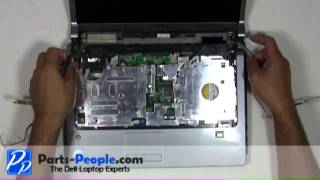
Dell Studio-1535/1536/1537 | LCD Web Cam Camera Replacement | How-To-Tutorial
2,712 views · Published 29 July 2011 · 2:51 · Indexed 6 November 2026
Channel: Parts-People Dell Laptop Experts · 2011 · Education
Buy this LCD Web Cam Camera:   http://ppci.me/i/5517

Learn how to install and replace the laptop LCD Web Cam Camera on a Dell Studio-1535/1536/1537 laptop. This will take you set by set through the complete installation and replacement process.  The only tools needed is a small phillips head screw driver and a small flat head screw driver.

You can view full written instructions for this Dell Studio-1535/1536/1537 LCD Web Cam Camera repair here.   http://ppci.me/b/FXtp

We stock over 150,000 Genuine Dell laptop parts!!!
All Dell laptop parts see in this video can be purchased from
http://www.parts-people.com

Share, Like and Follow
http://www.parts-people.com/getsocial
More from this channel
-
 1:39
Dell Inspiron 1545 | Power Button Cover Replacement | How-To-Tutorial
-
 2:08
Dell Studio-1535/1536/1537 | Wireless Mini-PCI Half Height Card Replacement | How-To-Tutorial
-
 2:11
Dell Studio-1535/1536/1537 | Center Control Media Button Cover Replacement | How-To-Tutorial
-
 1:18
Dell Studio-1535/1536/1537 | LCD Display Bezel Replacement | How-To-Tutorial
-
 7:55
Dell Studio-1535/1536/1537 | Touchpad Palm Rest Replacement | How-To-Tutorial
-
 8:46
Dell Studio-1535/1536/1537 | Touchpad Palm Rest Mouse Buttons Replacement | How-To-Tutorial
-
 9:07
Dell Studio-1535/1536/1537 | USB and Firewire IO Circuit Board Replacement | How-To-Tutorial
-
 1:36
Dell XPS M1330 | Bottom Memory Access Door Cover Replacement | How-To-Tutorial