Microsoft Word Tutorial | How to Use Tab Stops in Word
512 views · Published 8 April 2016 · 5:51 · Indexed 10 November 2026
Channel: rahmat maulana · 2016 · People & Blogs
Microsoft Word Tutorial - Video tutorial learn how to easily use tab stops to align your text in the field of personal data in Microsoft Office Word 2007. Also in word 2013, 2016, 2019. Visit: https://www.azqnet.com

- How to insert images into word document table : https://youtu.be/d-nxFHYsxN0

- Learn ms word easily: https://www.youtube.com/playlist?list=PLYjULxXZTNY3ICQuoZ-cjltJf-KxcrRe2

- Learn PowerPoint easily: https://www.youtube.com/playlist?list=PLYjULxXZTNY0nRlHv7n9RZ8f4URw-vsSF

- Invitation card tutorial :https://www.youtube.com/playlist?list=PLYjULxXZTNY26Doo9LR5BnqLPeVTBFm82

- Brochure Design Tutorial :https://www.youtube.com/playlist?list=PLYjULxXZTNY38qfWMXzGI9MXXlaIFAUGk

- Your Own Calendar in Ms Word :https://www.youtube.com/playlist?list=PLYjULxXZTNY2nlYi6uVZba1PyfhnpF0ZC

- Your Own Calendar in Ms PowerPoint :https://www.youtube.com/playlist?list=PLYjULxXZTNY2-DFfCBdVSwpGRgUajZbBz

- Learn ms excel easily: https://www.youtube.com/playlist?list=PLYjULxXZTNY1LRi-OQs-XwDKofLp__naW

- MIX TUTORIAL : https://www.youtube.com/playlist?list=PLYjULxXZTNY1uNxQGVeLMZhfAa0UNrkus

#microsoftwordtutorial
#learnmicrosoftwordeasy
#learnword
#learnmicrosoftword
#microsoftword
#tabstops
More from this channel
-
 4:17
Cara mudah belajar rumus HLOOKUP beserta contoh di excel|Excel 2007 tutorial
-
 3:37
Cara mudah belajar rumus HLOOKUP LEFT beserta contoh di excel|Excel 2007 tutorial
-
 3:36
Cara mudah belajar rumus HLOOKUP MID beserta contoh di excel|Excel 2007 tutorial
-
 3:14
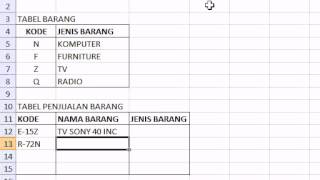
Cara mudah belajar rumus VLOOKUP RIGHT beserta contoh di excel|Excel 2007 tutorial
-
 2:58
Photoshop tutorials |How to Join Two Pictures with Gradient Effects in Photoshop
-
 2:23
Photoshop tutorials |How to create a Feather Selection In Photoshop
-
 2:06
Photoshop tutorials |How to Merge 2 Pictures With Gradient Effects in Photoshop
-
 2:07
Photoshop tutorials - Straightening pictures in Photoshop