Double Color Exposure Effect - Photoshop Tutorial
2,784 views · Published 31 March 2017 · 8:48 · Indexed 22 October 2026
Channel: Hass Hasib · 2017 · Education
SUBSCRIBE for more Photoshop tutorials ► http://goo.gl/iuL0Xh

Today's tutorial will teach you how to create a Double Color Exposure Effect, using Color Effects & Styles.  In this Tutorial we'll see how to Create a cool Double Color exposure effects by using the RGB channels in Adobe Photoshop.

Resources Link:

Make sure to check out my other Photoshop tutorials. Links below!

MORE FROM GRAPHICS HOME:

Website!
http://www.hasshasib.com

Website 2: http://www.psdtutorial.net

Facebook!
 https://www.facebook.com/official.hasshasib/

Twitter!
 https://twitter.com/hass_hasib

Google+!
 https://plus.google.com/u/0/+iamhasib

Deviantart!
 http://hasshasib001.deviantart.com/

Subscribe!
 https://www.youtube.com/channel/UCbu-Lu9mfKXHpDzLrneJmUg

Behance!
 https://www.behance.net/HassHasib

Graphics Home is run by Hass hasib, providing FREE Adobe Photoshop and Adobe Photoshop Lightroom & Adobe After effect video tutorials to the graphic design and photographer community. As an Adobe Community Professional,

No matter what you're looking to learn in Photoshop, you're bound to find it in our library of over 450+ tutorials. Topics include: Photo Manipulation in Photoshop, Photo Composition, Photo Retouching, The Basics of Photoshop, Designing in Photoshop, Special Effects, and more! While new videos will be taught using the latest version of Photoshop, you'll find videos covering Photoshop CC, Photoshop CS6, CS5, CS4, and CS3.

Thanks For Watching.. :)
More from this channel
-
 4:45
How to Create Cinematic Black & White Portraits in Photoshop
-
 11:43
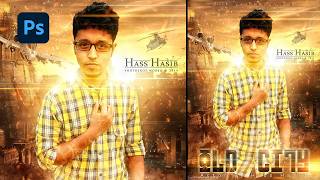
Movie Poster design in Photoshop Tutorial - Photo Manipulation
-
 34:00
Dispersion Effect in Photoshop - Photo Manipulation Tutorial
-
 1:27:08
Design a Scary Horror Movie Poster in Photoshop | Photo Manipulation Tutorial
-
 18:32
Create Stunning Action Movie Poster Effects in Photoshop
-
 17:48
How to Create a Movie Poster in Photoshop | Photoshop Tutorial
-
 14:52
Floating island photo manipulation - Photoshop tutorial
-
 8:39
Multi-Hand Creative Photo Manipulation in Photoshop | Step by Step Tutorial