How to Remove a Custom Banner in Avaya WLAN 8100 WC with CLI
830 views · Published 5 March 2012 · 1:48 · Indexed 9 October 2026
Channel: Avaya Mentor · 2012 · Autos & Vehicles
Steps to remove a custom banner on an Avaya WLAN 8100 Wireless Controller via the command line interface (CLI). Produced by Swasti Verma.

The script used is below:

banner 1 " "
banner 2 " "
banner 3 " "
banner 4 " "
More from this channel
-
 10:23
H.248 Branch Gateway Logging
10:23
H.248 Branch Gateway Logging
-
 4:21
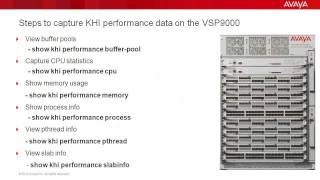
Troubleshooting the Avaya VSP9000 with Key Health Indicators (KHI)
4:21
Troubleshooting the Avaya VSP9000 with Key Health Indicators (KHI)
-
 8:20
How to use the Avaya Web.alive Depot Feature
8:20
How to use the Avaya Web.alive Depot Feature
-
 9:01
How to Install RHEL for Avaya Agile Communication Environment (ACE)
9:01
How to Install RHEL for Avaya Agile Communication Environment (ACE)
-
 1:53
How to Configure syslog on the Avaya ERS8800
1:53
How to Configure syslog on the Avaya ERS8800
-
 6:54
Avaya Aura® Session Border Controller SNMP Trap Generation
6:54
Avaya Aura® Session Border Controller SNMP Trap Generation
-
 7:10
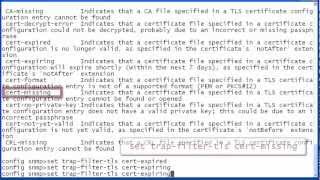
Avaya Aura® Session Border Controller SNMP Trap Administration
7:10
Avaya Aura® Session Border Controller SNMP Trap Administration
-
 3:36
Enabling Time Synchronization for Avaya Voice Portal and Aura Experience Portal
3:36
Enabling Time Synchronization for Avaya Voice Portal and Aura Experience Portal