First and third angle projection Simplified
1,787 views · Published 29 July 2017 · 6:51 · Indexed 10 November 2026
Channel: CadX Design · 2017 · Education
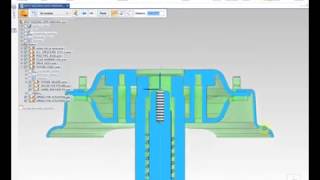
Understanding first and third angle projection methods in a possible simple way.
Today I am going to teach you how to find viewing angle in draft file
like is it 1st angle method of projection or 3rd angel and how can you change it

1. open part file
2. take part to draft file by taking new draft file
3. select any std. template
4. go to opt custom orientation
5. now we will check method of projection???
6. go to setting- options-dwg std.
7. currently it is third angel u can see
8. if u change it it will be change for all new drafts .
Following links are most important for freshers as well as professionals Mechanical, Design Engineers. Learn Design, Download Books, GATE Notes & other stuff for free
WEBSITE: https://medium.com/@cadxdesign
Telegram Group Worldwide Mechanical Engineers Discussion Forum- https://t.me/MechanicalCadX
Mechanical Syllabus Pdfs E-books- https://t.me/MechanicalEbook
Facebook-http://bit.ly/2lZLmdH
More from this channel
-
 0:15
Pneumatic Press Fit Machine Animation in Solid Edge
-
 0:05
Round Part Automatic Welding Machine Animation
-
 0:12
Animation of Yaskawa Robot in Keyshot
-
 6:16
Coca Bottle Design & Realistic Renderings- By CadX
-
 0:37
Animation of 4 Stroke Engine
-
 0:58
Gear Transmission Animation In CAD
-
 0:26
Solid Edge Spring Animation
-
 0:40
Animation of Agriculture Weeding Machine