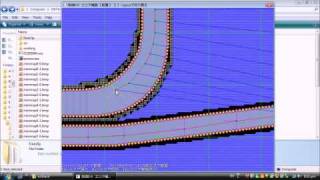
Fuzee Tutorial: Making alternate versions for your course
4,922 views · Published 19 January 2009 · 7:46 · Indexed 29 September 2026
Channel: Tony Thai · 2009 · Gaming
This tutorial is now obsolete since YouTube removed annotations.

Download my fzeeclip collection
https://www.dropbox.com/s/oiyx1ct0etmuoyv/fzeeclips.rar?dl=0

The video explains how to make alternate versions to your course. It assumes you have already made a working track with alternate sections to your track laid out.
In your globalsettings.txt you will see a row of 15 GP courses separated into 3 leagues. The first two columns should be left as is. The next two columns are what you are going to be editing. This is where you get to customize the order of your tracks in GP mode.
In column 3, you get to use values 0 through 8 to change the region. (0: Big Blue, 1: Silence, 2: Sand Ocean, 3: Port Town, 4: Death Wind, 5: Red Canyon, 6: Fire Field, 7: Mute City, 8: White Land)
In column 4, refer to the chart below.
------------------------
Regions: 3,4,5
You can have alternate versions for your course.
#-0 = "II"
#-1 = "I"
------------------------
Regions: 0,1,2,6
The track number won't change but you can have alternate versions.
------------------------
Region: 8 (White Land)
Same as worlds 3,4,5 but the music will change on White Land II
------------------------
Region: 7 (Mute City)
You can have three alternate versions.
#-0 = "III"
#-1 = "I"
#-2 = "II"
------------------------
So Port Town 1 would be 3-1, and Port Town II would be 3-0. If you don't plan on making an alternate version for your course leave the value in the last column at 0.

If you look a little lower in globalsettings.txt, you get to customize the order for Practice mode. This one only has 3 columns but it's different from GP settings. Leave column one as is. In column 2, you get to use values 1 through 3, to choose the GP league. In column 3, you get to use values 1 through 5 to choose a track from the league chosen in column 2.