[ Photoshop Manipulation ] How to change Boring Photos into STUNNING in Photoshop
498 views · Published 17 December 2017 · 25:24 · Indexed 23 October 2026
Channel: Safii Clon · 2017 · Education
Hello everyone,
In this video tutorial, I am going to show you how to change Boring Photos  into STUNNING photo using Photoshop CC 2018. Hope it will help you. ^_^
------------------------------------------
🔷 SUBSCRIBE my channel for more tutorials : http://bit.ly/SafiiClon

------------------------------------------
Kalau kalian Suka dengan Video ini,
Jangan Lupa SUBSCRIBE & LIKE yaa... ^_^
Silahkan kasih komentar, Kritik & saran yg membangun untuk Channel ini...

------------------------------------------

🔷 Stock Credit :

✔ Model : https://ananda23.deviantart.com/art/Lorenza-02-688011613

✔ Bokeh & Tree : http://www.mediafire.com/file/ggi3pd30rfcdip3/%5BSC%5D%20Bokeh%20and%20Tree.rar
 ------------------------------------------

🔷 Social Media :
✔ Facebook : https://www.facebook.com/safii.clon
✔ Instagram : https://www.instagram.com/safiiclon/
✔ Twitter : https://twitter.com/safiix_666
✔ VK : https://vk.com/safiiclon
------------------------------------------

i Hope you like it
Thanks for watching and for your support.
Leave a comment if you enjoyed it! Inspires me to make more! :)

------------------------------------------

Software Using :
Adobe Photoshop CC 2018
Adobe Premiere Pro CC 2018
Bandicam
More from this channel
-
 3:21
[After Effect Tutorial] Membuat Efek Salju dengan cepat (Realistic Snowfall)
-
 2:02
[Photoshop Tutorial] Text Transparency Effect [Style 2]
-
 14:49
[Photoshop Manipulation] Change background and Adding Some Effects In To Photo
-
 11:28
[Photoshop Tutorial] Create a Invisible tshirt effect (Transparent Clothes Effect)
-
 9:00
[Photoshop Tutorial] How to make a Universe Hair Effect in Photoshop
-
 8:58
[Android Tutorial] How To Apply Cinematic Color Grading To Your Photos in Android
-
 3:32
[Speed Art] D.I.M.E.N.S.I.O.N - Fantasy Artwork
-
 23:09
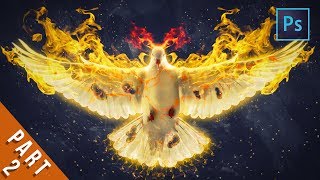
[Photoshop Manipulation] Bird of Fire - Fantasy Effects Tutorial Part 2