How to Configure OBS for YouTube Gaming Live Streaming
627 views · Published 3 September 2015 · 8:45 · Indexed 12 November 2026
Channel: Dragon Blogger Technology and Entertainment · 2015 · Science & Technology
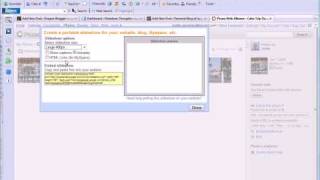
Tutorial on how to configure Open Broadcast Software to use YouTube Gaming or Live Streaming, so you can stream PC games with Open Broadcast Software to Gaming.YouTube.com.

using these Amazon affiliate codes below.

Dragon Blogger USA - http://amzn.to/1lIYM7u
Dragon Blogger CANADA -- http://amzn.to/1obybj1
Dragon Blogger U.K. - http://amzn.to/1kt6fU4

Most Game Recording done with Bandicam: http://bit.ly/DBBandiCam which can do watermarking while recording and much more!

Most videos produced with Camtasia Studio on this Channel, check out your free copy here: https://www.techsmith.com/camtasia.html
You can also buy from Amazon here: http://bit.ly/DBCamtasia

Want your product (hardware or software) reviewed or showcased to our audience and channels?  You can fill out a request here http://www.dragonblogger.com/product-reviews/ we welcome working with new brands and always give 100% honest opinions.

Follow us on Twitter: http://www.twitter.com/dragonblogger
Follow us on Facebook:  http://www.facebook.com/dragonbloggertech
Follow us on Google Plus:  https://plus.google.com/+dragonblogger/posts
Follow us on Instagram:
http://www.instagram.com/dragonbloggers
Follow us on Twitch:
http://www.twitch.tv/dragonbloggers