Build a Book App with Xcode Tutorial 5 - Reuseable Menus
720 views · Published 14 March 2016 · 9:17 · Indexed 10 November 2026
Channel: cartoonsmart · 2016 · Education
Video 5 in our tutorial series on using the Story Tellers Kit 2 to build a story book style app with Xcode.
cartoonsmart.com/story-tellers-ios-starter-kit/
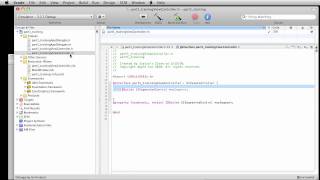
In this video, we'll discuss an easy way to use the same menu items from page to page. Most pages in your book will have a button back to the main menu and a next button. Xcode allows you to create a scene that can actually be dropped into other scenes, as a reference (SKReferenceNode is the technical term). So if we change the original scene, it will update all other scenes that reference it. Perfect for menu items. In our example, we'll just include the Menu button and Next Page button, but in the future if we added a Previous button, it would update all pages referencing the menu. We will also discuss adding a Continue button to continue from the last page viewed.
The video does assume you've bought the Story Tellers Kit 2, or you are a Yearly CartoonSmart subscriber so you have access to download the kit. The kit enables you to create a highly interactive story book app for the iPhone, iPad or new Apple TV, with absolutely no coding. Although you do have access to the Xcode project programmed with Swift and Sprite Kit, no programming is needed.
More from this channel
-
 8:06
Flash drawing basics part 2
-
 7:29
CartoonSmart Actionscript 3 Basics Tutorial Part 3 of 8
-
 10:00
CartoonSmart Actionscript 3 Basics Tutorial Part 5 of 8
-
 10:00
CartoonSmart Actionscript 3 Basics Tutorial Part 6 of 8
-
 10:01
iPhone/iPad Basics Tutorial Part 03 of 12
-
 10:01
iPhone/iPad Basics Tutorial Part 06 of 12
-
 8:08
iPhone/iPad Basics Tutorial Part 12 of 12
-
 13:27
Animated Landscapes 4 - Adobe Flash Animation Tutorial