How to Configure Syslog Parameters for a Mediant™ 3000 Using a Web Browser
4,730 views · Published 22 March 2012 · 4:54 · Indexed 23 September 2026
Channel: Avaya Mentor · 2012 · Science & Technology
Configure Syslog parameters for an AudioCodes Mediant 3000 media gateway using a web browser. This enables the sending of important system information and activity details as standards based (RFC 5424/RFC 3164) Syslog messages to a Syslog Server - as designated by an IP address, UDP port, and Debug Log/Trace Level. Produced by Ricardo Cadena.

For additional information on using the Web Browser Graphical User Interface and Media Gateway configuration, reference the "Mediant 3000 Release 5.8 SIP User's Manual" Media Gateway documentation is contained on the Mediant 3000 Software and Documentation disc or in the ISO available for download from PLDS.Avaya.com (https://plds.avaya.com)

Video Content Timeline:
00:19 Slide 1 (Product Syslog information)
01:00 Slide 2 (Demonstration)
01:37 Demo begin (Web Home Page)
01:54 Select "Maintenance" tab
02:06 "Maintenance Settings" page
02:16 Configure "Syslog Settings" fields
03:02 "Submit" and "Burn" configuration changes
04:07 Slide 3 (Reference/Documentation Info)
More from this channel
-
 10:23
H.248 Branch Gateway Logging
10:23
H.248 Branch Gateway Logging
-
 4:21
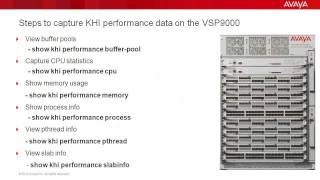
Troubleshooting the Avaya VSP9000 with Key Health Indicators (KHI)
4:21
Troubleshooting the Avaya VSP9000 with Key Health Indicators (KHI)
-
 8:20
How to use the Avaya Web.alive Depot Feature
8:20
How to use the Avaya Web.alive Depot Feature
-
 9:01
How to Install RHEL for Avaya Agile Communication Environment (ACE)
9:01
How to Install RHEL for Avaya Agile Communication Environment (ACE)
-
 1:53
How to Configure syslog on the Avaya ERS8800
1:53
How to Configure syslog on the Avaya ERS8800
-
 6:54
Avaya Aura® Session Border Controller SNMP Trap Generation
6:54
Avaya Aura® Session Border Controller SNMP Trap Generation
-
 7:10
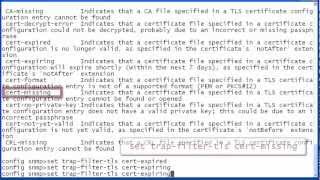
Avaya Aura® Session Border Controller SNMP Trap Administration
7:10
Avaya Aura® Session Border Controller SNMP Trap Administration
-
 3:36
Enabling Time Synchronization for Avaya Voice Portal and Aura Experience Portal
3:36
Enabling Time Synchronization for Avaya Voice Portal and Aura Experience Portal