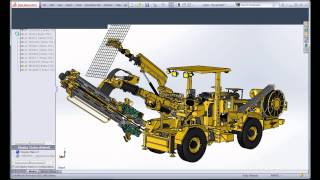
New in SolidWorks 2013 - Control File Size By Managing Configuration Data
3,392 views · Published 16 October 2012 · 7:48 · Indexed 21 September 2026
Channel: TriMech Tech Tips Channel · 2012 · Science & Technology
My pet project for the next few days is to post one video every day showcasing my personal favorite enhancements in SolidWorks 2013.

The 14th video from this series presents one of the most popular SolidWorks enhancement request of this millennium: the user's ability to have a degree of control on the file size.

SolidWorks 2013 allows users to find themselves the right balance between fast openings and file sizes by providing the ability to purge the Parasolid model data from the non-active configurations.

Enjoy and do not hesitate to subscribe to the Javelin Channel for more tech tips like this one.
More from this channel
-
 2:07
Using the Selection Tools with an Assembly
2:07
Using the Selection Tools with an Assembly
-
 1:39
SolidWorks Mouse Gestures
1:39
SolidWorks Mouse Gestures
-
 1:17
NEW in 2013: Conics
1:17
NEW in 2013: Conics
-
 2:46
SolidWorks: Selecting Configuration When Opening
2:46
SolidWorks: Selecting Configuration When Opening
-
 1:38
SolidWorks 2014 Tutorial: View Mates for Reference Geometry
1:38
SolidWorks 2014 Tutorial: View Mates for Reference Geometry
-
 20:38
Designing for the Internet of Things
20:38
Designing for the Internet of Things
-
 5:55
Danger! Danger! Danger! Be careful when using the new PURGE function in SOLIDWORKS 2016!
5:55
Danger! Danger! Danger! Be careful when using the new PURGE function in SOLIDWORKS 2016!
-
 1:44
Composer Codecs
1:44
Composer Codecs