Accessing Imagine images in CCR
341 views · Published 24 September 2014 · 3:06 · Indexed 22 September 2026
Channel: SDIVADesigns · 2014 · Education
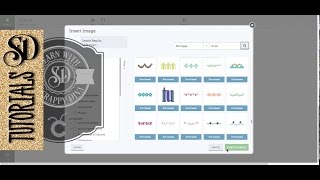
This video explains how you access your Imagine images and what you do with them in CCR.

Clarification: If your Imagine is working in CCR, you can definitely print and cut with your Imagine. I was not clear about what I meant when I said 'obviously you can't print and cut in CCR' because I only use CCR with my Expression and E2 now. I no longer have my Imagine.

What I should have said is 'obviously, if you are using an Expression, original Cricut, E2 or Create, you cannot print and cut...'

...

Subscribe to my YouTube channel by click the red SUBSCRIBE button above.

I share my SVG cutting files and much more on my Patreon page at http://www.patreon.com/ScrappyDIVA

My Cricut group is at https://www.facebook.com/groups/luvmycricut/

CricutDIVA playlist https://www.youtube.com/playlist?list=PLLb64hnypU5jNecJi-d25sdCTEMAQeEVt

Silhouette Cameo playlist https://www.youtube.com/playlist?list=PLLb64hnypU5jr9pDqyKjd8LzPrN43JXcy

Facebook page https://www.facebook.com/kadamczykpage

Pinterest http://www.pinterest.com/kadamczyk/

Blogs http://scrappydivablog.com and http://cricutdivablog.blogspot.ca/

-~-~~-~~~-~~-~-
Please watch: "Did you mess up your HTV project? "
https://www.youtube.com/watch?v=eIUpQ3nGYu4
-~-~~-~~~-~~-~-
More from this channel
-
 3:17
Loading media or mat with vinyl
3:17
Loading media or mat with vinyl
-
 1:39
Slanting titles in Excel
1:39
Slanting titles in Excel
-
 3:14
CCR exporting Cricut Craft Room files
3:14
CCR exporting Cricut Craft Room files
-
 2:28
Taking a screen shot in Windows
2:28
Taking a screen shot in Windows
-
 3:48
CDS Quick Tip on managing SVG files
3:48
CDS Quick Tip on managing SVG files
-
 4:40
Cricut Explore Print then Cut and Explore GIVEAWAY
4:40
Cricut Explore Print then Cut and Explore GIVEAWAY
-
 9:27
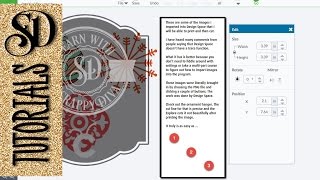
Importing images for Print then Cut into Design Space
9:27
Importing images for Print then Cut into Design Space
-
 1:05
SCAL Lesson 4 - Filling objects with colors or patterns in Windows
1:05
SCAL Lesson 4 - Filling objects with colors or patterns in Windows