Tips for Using Toshiba X300 Hard Drives with the OWC Drive Dock
2,464 views · Published 4 August 2017 · 1:26 · Indexed 20 October 2026
Channel: Other World Computing · 2017 · Science & Technology
If you wish to use the OWC Drive Dock and a 4.0TB, 5.0TB, or 6.0TB X300 Series Toshiba hard drive, we recommend you review the information in this video to avoid a very specific issue with this drive series.

The issue does not impact other 3.5" hard drives, regardless of brand.
We apologize for any inconvenience.

The Issue:
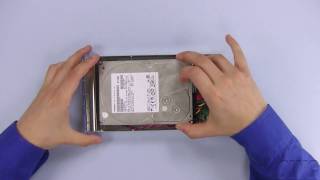
The screw heads on the Toshiba X300 Series of hard drives are slightly longer than those found on other 3.5” SATA drives. When an X300 series hard drive is installed, the screw nearest the SATA connector may catch on the drive door when you attempt to remove the drive.

Removing a Stuck Drive Tip:
To remove a stuck drive, use one hand to stabilize the dock, then carefully attempt to remove the drive with the other hand. You may need to gently press downward on the drive door with one of your fingers as you remove the drive.

Tape Tip:
To make it less likely the screw head will catch on the drive door, place a small piece of tape over the screw head nearest to the SATA connector. If the screw still catches on the drive door, the tape will make it much easier to remove the drive.

The Ultimate Drive Dock
Featuring a premium aluminum enclosure, two drive bays, and high-performance connectivity, OWC Drive Dock is the ultimate tool for simultaneous access to multiple bare SATA drives.

http://eshop.macsales.com/item/OWC/TB2U3DKR2/
More from this channel
-
 1:33
PowerMac G4 Cube Memory Installation Video
-
 5:27
OWC Mercury Elite Classic: Drive Installation
-
 2:39
How to Replace the Digitizer Pen Nib for an Axiotron Modbook.
-
 3:12
Power Mac G4 QuickSilver Memory Installation Video
-
 4:14
Power Mac G4 Mirrored Drive Door PCI Card Installation Video
-
 3:51
Power Mac G4 QuickSilver PCI Card Installation Video
-
 1:17
OWC TV - Newer Technology Voyager S3
-
 3:13
OWC Television - Tech Support