Belajar microsoft word 2007 |Tutoarial Cara Menampilkan Border and Shading di MS Word
824 views · Published 11 May 2015 · 5:35 · Indexed 31 October 2026
Channel: rahmat maulana · 2015 · People & Blogs
Tutorial belajar Microsoft word mudah panduan belajar contoh cara membuat bingkai border and shading, Word Art, Bullet and Numbering di Microsoft Office Word 2007. Visit: http://www.azqnet.com

- Belajar Ms Word Dari Nol: https://www.youtube.com/watch?v=QRkcO6eC2r8&t=1s
- Cara Membuat Picture Watermark Word: https://youtu.be/WOXsIVrekbE
- Cara Membuat Picture Watermark Hanya Halaman Yang Dipilih: https://youtu.be/UJzTtPyP1XA
- Cara Cepat Membuat Teks atau Tulisan Bergambar di Word: https://youtu.be/77m412tQhBA
- Cara Membuat Page Number atau Nomor Halaman Makalah Berbeda: https://youtu.be/IwKmhp8Myys
- Cara Membuat Brosur Wisata atau Travel Anda Sendiri di Ms Word: https://youtu.be/U7sW-i9t9z0
- Cara Memberi frame / Bingkai Pada Microsoft Word: https://youtu.be/sBkxUEtLnE0
- Cara Membuat Frame Picture Watermark di Word: https://youtu.be/r21ZctzGFH8
- Cara mudah membuat Peta anda sendiri dengan Google Maps di Word: https://youtu.be/8MAiwVye474
- Cara Membuat Judul Tabel(Header Rows) Berulang Otomatis di Setiap Halaman Word: https://youtu.be/jcQVP2UeqpY
- Cara Cepat menambahkan teks/Tulisan diatas gambar transparan di Word : https://youtu.be/PtQ6dHYx20o
- Cara membuat sertifikat(Certificate) anda sendiri di word: https://youtu.be/iNwpUfmhSRA
- Cara Menyisipkan Gambar ke Dalam Tabel Dokumen Word: https://youtu.be/62kHr0HPmC8
- Cara Membuat Cover Buku Anda Sendiri di Ms Word: https://youtu.be/RxZUXIptLjc
- Cara Membuat Label Undangan 103 dengan Mail Merge Data dari Ms Excel: https://youtu.be/UA3Qe5Wm0cU
- Cara Membuat Gambar Latar Belakang Transparan di PowerPoint: https://youtu.be/tjwV-J2N9YA

- Belajar Ms Word Mudah :https://www.youtube.com/playlist?list=PLYjULxXZTNY3ICQuoZ-cjltJf-KxcrRe2

- Cara Gampang Belajar Powerpoint: https://www.youtube.com/playlist?list=PLYjULxXZTNY0nRlHv7n9RZ8f4URw-vsSF

- Cara Membuat Kartu Undangan : https://www.youtube.com/playlist?list=PLYjULxXZTNY26Doo9LR5BnqLPeVTBFm82

- Cara Membuat Brosur : https://www.youtube.com/playlist?list=PLYjULxXZTNY38qfWMXzGI9MXXlaIFAUGk

- Cara Membuat Kalender : https://www.youtube.com/playlist?list=PLYjULxXZTNY2nlYi6uVZba1PyfhnpF0ZC

- Belajar Ms Excel Mudah: https://www.youtube.com/playlist?list=PLYjULxXZTNY1LRi-OQs-XwDKofLp__naW

- photoshop tutorials : https://www.youtube.com/playlist?list=PLYjULxXZTNY3X577yPCIsXMB6SYZB2oAF

- MIX TUTORIAL : https://www.youtube.com/playlist?list=PLYjULxXZTNY1uNxQGVeLMZhfAa0UNrkus

#belajarmicrosoftword2007
#microsoftwordtutorial
#belajarword
#belajarkomputer
#tutorialkomputer
#tutorialword
#wordart
#borderandshading
#bulletandnumbering
More from this channel
-
 4:17
Cara mudah belajar rumus HLOOKUP beserta contoh di excel|Excel 2007 tutorial
-
 3:37
Cara mudah belajar rumus HLOOKUP LEFT beserta contoh di excel|Excel 2007 tutorial
-
 3:36
Cara mudah belajar rumus HLOOKUP MID beserta contoh di excel|Excel 2007 tutorial
-
 3:14
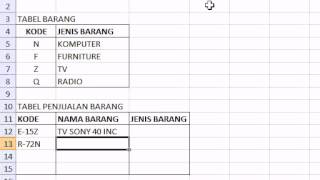
Cara mudah belajar rumus VLOOKUP RIGHT beserta contoh di excel|Excel 2007 tutorial
-
 2:58
Photoshop tutorials |How to Join Two Pictures with Gradient Effects in Photoshop
-
 2:23
Photoshop tutorials |How to create a Feather Selection In Photoshop
-
 2:06
Photoshop tutorials |How to Merge 2 Pictures With Gradient Effects in Photoshop
-
 2:07
Photoshop tutorials - Straightening pictures in Photoshop