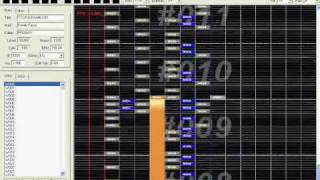
Recipe to how to make your notecharts sync properly
898 views · Published 26 November 2011 · 8:00 · Indexed 10 October 2026
Channel: PROGUY101 · 2011 · Film & Animation
Former video name: This is how I chart Banned Forever

I made this because people tend to miss some notes when they chart. This will be the solution for it.

Also, you can apply this method to other music rhythm games other than just O2Jam and IIDX.

 = Recipe for making somewhat foolproof charts =
Utensils:
- Either NoteTool or BMSE or any other related program
- Audacity
- O2Mania or any other program that can test your chart

Ingredients:
- A whole song, either in .ogg/.mp3/any other audio format your rhythm game supports
- An empty OJN/BMS/whatever chart for you to work on
- A pinch of patience
- A slice of enjoyment of doing this

Steps:
1. Open Audacity and open the song you want to chart.
2. Then single-click the empty bottom part of the program below the song (it's gray).
3. Create a new Click Track. Set the BPM to the same amount of the song. Move it so that it will match the song and then you can precisely see its beats.
4. Highlight a portion in Audacity and listen to it.
5. Then chart that section in your BMSE. Repeat steps 4 and 5 for the whole song. Copy & paste, then rearrange if your song uses the same instruments but you don't want the same boring pattern to repeat. (watch the video)
6. Playtest your chart. Autoplay works if you don't want to risk it, but you must imagine the pain of the players when they go through this.

 = End of recipe =

Songs played in the duration of the show:
1. Holding My Thoughts In My Heart (from Final Fantasy VII)
2. ARA - 心ハレバレ (from Touhou Sky Arena)
3. Splendid Force (from Mana Khemia - Alchemists of Al-Revis)

This chart (OJM/OJN, not BMS) can be downloaded in the video which I responded with this one.

Edit (30 November 2011): Edited video name. I also somewhat regret including the first song because it makes me feel like playing FFVII again when I should be playing other games instead.
More from this channel
-
 1:00
StepMania Party (StepMania - Garden Party)
1:00
StepMania Party (StepMania - Garden Party)
-
 1:53
Ximer 3O Nonac - TSO Maj2O (O2Jam OST Canon O3 Remix Reversed)
1:53
Ximer 3O Nonac - TSO Maj2O (O2Jam OST Canon O3 Remix Reversed)
-
 2:35
O2Jam - G59 NX4 Full Combo (AngelJam private server)
2:35
O2Jam - G59 NX4 Full Combo (AngelJam private server)
-
 2:17
StepMania - LEVIATHAN (Beta chart)
2:17
StepMania - LEVIATHAN (Beta chart)
-
 2:21
O2Jam - TSUHSUIXAMUSH (o2ma4024)
2:21
O2Jam - TSUHSUIXAMUSH (o2ma4024)
-
 2:39
O2Jam - Chik Habit ("Made-for-fun" Difficulty)
2:39
O2Jam - Chik Habit ("Made-for-fun" Difficulty)
-
 2:11
Super-high Level generated by the NoteTool
2:11
Super-high Level generated by the NoteTool
-
 4:14
AngelJam Notecharting Event Round 1 Results (Mendes by Humanoid)
4:14
AngelJam Notecharting Event Round 1 Results (Mendes by Humanoid)