PowerPoint training |How to Create an Animated Slide Show of 3D Map Locations in PowerPoint
272 views · Published 6 May 2018 · 7:05 · Indexed 24 October 2026
Channel: rahmat maulana · 2018 · Education
Learn how to easily create a 3D map pointer animated slide show presentation in Microsoft Office PowerPoint 2007. Visit: http://www.azqnet.com

- How to Create a Custom 3D Map on a Wedding Invitation Card with Google Maps: https://youtu.be/iDmm_D-SKho

- Learn ms word easily: https://www.youtube.com/playlist?list=PLYjULxXZTNY3ICQuoZ-cjltJf-KxcrRe2

- Learn PowerPoint easily: https://www.youtube.com/playlist?list=PLYjULxXZTNY0nRlHv7n9RZ8f4URw-vsSF

- Invitation card tutorial :https://www.youtube.com/playlist?list=PLYjULxXZTNY26Doo9LR5BnqLPeVTBFm82

- Brochure Design Tutorial :https://www.youtube.com/playlist?list=PLYjULxXZTNY38qfWMXzGI9MXXlaIFAUGk

- Your Own Calendar in Ms Word :https://www.youtube.com/playlist?list=PLYjULxXZTNY2nlYi6uVZba1PyfhnpF0ZC

- Your Own Calendar in Ms PowerPoint :https://www.youtube.com/playlist?list=PLYjULxXZTNY2-DFfCBdVSwpGRgUajZbBz

#powerpointtraining
#learnpowerpoint
#tutorialpowerpoint2007
#powerpointtutorial
#animationtutorial
#powerpointtutorial
#tutorialpowerpoint
#microsoftpowerpoint
More from this channel
-
 4:17
Cara mudah belajar rumus HLOOKUP beserta contoh di excel|Excel 2007 tutorial
-
 3:37
Cara mudah belajar rumus HLOOKUP LEFT beserta contoh di excel|Excel 2007 tutorial
-
 3:36
Cara mudah belajar rumus HLOOKUP MID beserta contoh di excel|Excel 2007 tutorial
-
 3:14
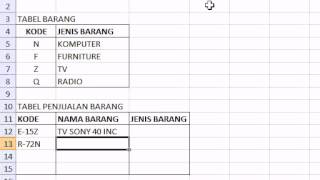
Cara mudah belajar rumus VLOOKUP RIGHT beserta contoh di excel|Excel 2007 tutorial
-
 2:58
Photoshop tutorials |How to Join Two Pictures with Gradient Effects in Photoshop
-
 2:23
Photoshop tutorials |How to create a Feather Selection In Photoshop
-
 2:06
Photoshop tutorials |How to Merge 2 Pictures With Gradient Effects in Photoshop
-
 2:07
Photoshop tutorials - Straightening pictures in Photoshop