remove win 10 update notification on win 7 - 8 - info in description
324 views · Published 29 October 2015 · 10:25 · Indexed 30 September 2026
Channel: Godarium · 2015 · People & Blogs
Option 1: Go to Windows Update-Installed update, remove KB3035583

option 2: WUSA /Uninstall /KB:3035583

option 3: modify in regedit

 [HKEY_LOCAL_MACHINE\SOFTWARE\Policies\Microsoft\Windows\Gwx]
"DisableGwx"=dword:00000001

https://techjourney.net/disable-remov...


option 4:
__________
Echo off

taskkill.exe /F /IM "gwx.exe"
takeown /a /r /d Y /f "%windir%\System32\GWX" && icacls "%windir%\System32\GWX" /grant administrators:F
robocopy "%windir%\System32\GWX" "%windir%\System32\GWX_Old" /E
rmdir /s /q "%windir%\System32\GWX"

takeown /a /r /d Y /f "%windir%\System32\Tasks\Microsoft\Windows\Setup\GWXTriggers" && icacls "%windir%\System32\Tasks\Microsoft\Windows\Setup\GWXTriggers" /grant administrators:F
rmdir /s /q "%windir%\System32\Tasks\Microsoft\Windows\Setup\GWXTriggers"

exit
__________________

http://www.tweaking.com/articles/page...
_____________________

option 5:
remove from task :
http://www.howtogeek.com/218856/how-d...


-----------------------

The following updates are excluded:
• KB971033 -x86-the x64 (Update for Windows Activation Technologies checking)
• KB2952664 -x86-the x64 (System Update compatibility for migration to Windows 10)
• KB2977759 -x86-the x64 (Diagnostics compatibility issues for upgrading to Windows 10)
• KB3021917 -x86-the x64 (diagnostics and telemetry systems to upgrade to Windows 10)
• KB3035583 -x86-the x64 (Update sets "Get Windows 10" application)
• KB3068708 -x86-the x64 (Update to improve the quality of diagnostics and telemetry)
• KB3075249 -x86-the x64 (Update adds a point telemetry consent.exe file)
• KB3080149 -x86-the x64 (Update for CEIP program and diagnostic telemetry)
• KB3081954 -x86-the x64 (Update to improve the working folders and telemetry)
• KB3123862 -x86-the x64 (Updated opportunity to upgrade to Windows 10)
More from this channel
-
 2:01
add web link to windows 8 start screen
2:01
add web link to windows 8 start screen
-
 1:13
Office publisher - change page size-
1:13
Office publisher - change page size-
-
 2:21
install Turbot pascal - windows 7 - dosbox
2:21
install Turbot pascal - windows 7 - dosbox
-
 11:15
install Turbot pascal - Linux Mint 17 - dosbox
11:15
install Turbot pascal - Linux Mint 17 - dosbox
-
 6:01
turbo c ++ - windows 7 install- - dosbox
6:01
turbo c ++ - windows 7 install- - dosbox
-
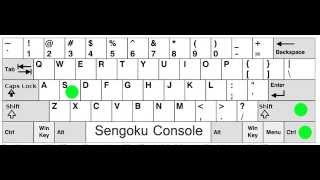 2:13
Open Sengoku Console ( and close) Same 4 All Paradox game
2:13
Open Sengoku Console ( and close) Same 4 All Paradox game
-
 0:32
Asus A52F series Laptop - reinstall = Hold F9
0:32
Asus A52F series Laptop - reinstall = Hold F9
-
 1:20
Publisher save as pdf
1:20
Publisher save as pdf