Sinking Effect | Photoshop CC Tutorial #273/365
3,663 views · Published 30 September 2018 · 1:00 · Indexed 30 September 2026
Channel: Yes I'm a Designer · 2018 · Education
This tutorial will show you how to create a sinking effect on subjects in Adobe Photoshop CC 2018. We have seen this style of image being used a lot in advertising recently, especially in the fashion and retail industry.

LEARN FROM US:
Build Rock Solid Foundations with our New 12 Weeks long Graphic Design Starter Bootcamp:
https://yesimadesigner.com/courses/starter-bootcamp/

The whole idea is to make part of the subjects body seem as if it has sunk into a backdrop, forcing the viewers attention to the relevant parts of the image - perfect if you are advertising jewelry, handbags etc.

Discover Martin’s workflow and the tools and techniques he uses to create this effect...

Remember to check back tomorrow! If you miss a few days don’t worry, keep an eye on our playlist to find monthly roundups of our 365 tutorials.

LEARN FROM US:
Build Rock Solid Foundations with our New 12 Weeks long Graphic Design Starter Bootcamp:
https://yesimadesigner.com/courses/starter-bootcamp/

SUPPORT US
https://www.patreon.com/yesimadesigner

BUY OUR DESIGN BUNDLES
https://gumroad.com/yes_im_a_designer

READ OUR BLOG
http://www.yesimadesigner.com/

FOLLOW US
https://www.instagram.com/yes_im_a_designer/
More from this channel
-
 6:56
Type on a Path in Photoshop, Illustrator and InDesign
6:56
Type on a Path in Photoshop, Illustrator and InDesign
-
 1:08
Adobe Illustrator CC for Designers
1:08
Adobe Illustrator CC for Designers
-
 8:49
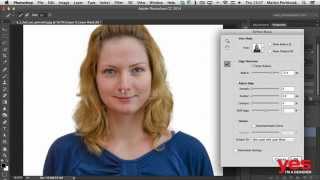
Selecting Hair in Photoshop
8:49
Selecting Hair in Photoshop
-
 1:33
Essential Skills for Designers - Mastering the Pen Tool
1:33
Essential Skills for Designers - Mastering the Pen Tool
-
 0:58
Parallax Slider Design - Make Your Website Come to Life
0:58
Parallax Slider Design - Make Your Website Come to Life
-
 1:44
Digital Art Tutorial #1 - Floki from Vikings (time-lapse)
1:44
Digital Art Tutorial #1 - Floki from Vikings (time-lapse)
-
 1:00
Minimalist Portrait in Illustrator CC | tips & time-lapse #18/365 Days of Creativity
1:00
Minimalist Portrait in Illustrator CC | tips & time-lapse #18/365 Days of Creativity
-
 1:00
Brush Pattern | ProCreate Tutorial #39/365 Days of Creativity
1:00
Brush Pattern | ProCreate Tutorial #39/365 Days of Creativity