Sample: Animating Multiple Shapes in NewBlue Titler Pro
2,967 views · Published 2 July 2012 · 0:10 · Indexed 21 September 2026
Channel: NewBlue · 2012 · Film & Animation
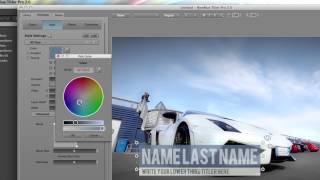
This is a sample clip of what multiple animated shapes could look like in Titler Pro from NewBlueFX. In this particular example we've added the shapes in the lower thirds.

NewBlue Tip: Animating Multiple Shapes in Titler Pro

NewBlue Titler Pro not only creates compelling text, but also provides simple shapes like ellipses and rectangles to complete many title designs. These shapes can take on the same style and animation controls that text characters can with preset animations or keyframing. But did you know that you can put multiple shapes within a paragraph and have them animate in sequence by using Titler Pro transitions?

Start with a text paragraph. Place your cursor anywhere in it and then click the Add Shape button. A shape will be instantly added to your paragraph. Repeat this for as many shapes as you wish to have. Then choose one of the many presets under Transitions/Animations and set the transition parameter 'Apply to' to Letter. Now you'll see each shape animate according to the transition parameters. There you have it! Sequential animated objects in seconds.

For more visit our blog newbluefx.tumblr.com Visit our website at http://nbfx.co/1L3UkJY
More from this channel
-
 0:09
Plasma Glow | Light Blends
0:09
Plasma Glow | Light Blends
-
 4:19
Duochrome Tutorial - Avid Forums version
4:19
Duochrome Tutorial - Avid Forums version
-
 1:05
60 Second Studio | Episode 4 | Titler Pro 3: Importing EPS Files
1:05
60 Second Studio | Episode 4 | Titler Pro 3: Importing EPS Files
-
 1:17
60 Second Studio | Episode 8 | Changing Templates
1:17
60 Second Studio | Episode 8 | Changing Templates
-
 3:37
Lower 3rds: Editing Colors, Gradients, & Textures | Tutorial
3:37
Lower 3rds: Editing Colors, Gradients, & Textures | Tutorial
-
 0:48
Elements 3 Alpha Blend
0:48
Elements 3 Alpha Blend
-
 12:32
Creating a Cinematic Feel with Film Color | Tutorial
12:32
Creating a Cinematic Feel with Film Color | Tutorial
-
 1:51
60 Second Studio | Episode 18 | Pencil Rubbing
1:51
60 Second Studio | Episode 18 | Pencil Rubbing