Nikon Smart Tips Video Series - #42 (For subjects that stand out)
451 views · Published 11 August 2016 · 0:50 · Indexed 26 October 2026
Channel: Nikon Canada · 2016 · Film & Animation
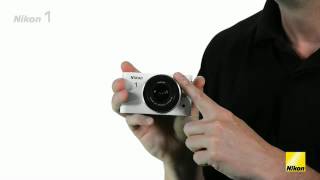
If you’d like to make your subject stand out and have the background softly blurred, set your lens’ f/stop to its widest position. Learn more from Nikon’s Lindsay Silverman in this “smart tips” video.

For more Nikon videos, please visit our YouTube channel: http://www.youtube.com/NikonCanada
Find the Nikon Canada Ambassadors: http://bit.ly/1JGdnIG
More from this channel
-
 0:17
NIkon COOLPIX S4000 TV Commercial
-
 0:17
Nikon D5100 TV Commerical: 1080p
-
 0:32
Nikon D5100 Fall TV Commercial (French)
-
 0:18
Nikon D5100 Fall TV Commercial (French): In-camera effects
-
 1:09
Nikon Behind the Scenes at CONTACT
-
 1:01
Présentation du système Nikon 1 (Français)
-
 0:32
Sélecteur Smart Photo du Nikon 1 (Français)
-
 0:25
La fonction Instant animé du Nikon 1 (Français)