Bypass FRP Lock and Google Account verification Samsung Galaxy J7 Prime
958 views · Published 23 July 2018 · 4:46 · Indexed 29 October 2026
Channel: AndroidHowTo · 2018 · Science & Technology
How to Bypass FRP lock or Remove Google Account Verification on Samsung Galaxy J7 Prime. Tested on Samsung Galaxy J7 2016 that installed Android 6.0.1 Marshmallow. "This device was reset. To continue, Sign in with a Google Account that was previously synced on this device" You will get this message when you performed a hard reset. You need to enter the google account that was previously synced on the device. If you forgot the google account or password, you can not enter the android system.  This post will guide you "How to bypass FRP Lock and Google Account Verification on Samsung Galaxy". According to me It may be works to other Samsung Galaxy Devices.

For more detail you can visit:
https://www.recovery-mode.com/android/how-to-bypass-frp-lock-and-google-account-verification-on-samsung-galaxy.html

Samsung Galaxy J7 Prime Hard reset https://youtu.be/w4u8zo0myA8

Video: OTA update Samsung Galaxy J7 Prime SM-G610F to Android 7.0 Nougat https://youtu.be/YK0mBKvR5vc

How to Update Samsung Galaxy J7 Prime SM-G610F to Android 7 Nougat https://goo.gl/ow6GE7

How to Update Samsung Galaxy J7 Prime SM-G610F to Android 6.0.1 Marshmallow: https://goo.gl/ySt4eP

How to root Samsung Galaxy J7 Prime Android 6.0.1 Marshmallow:
SM-G610M: https://goo.gl/NGjHc9
SM-G610F: https://goo.gl/PbFmtH
More from this channel
-
 1:16
How to turn on DEVELOPER OPTIONS on LOLLIPOP
-
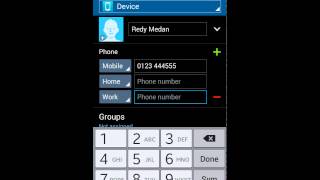 2:33
How to Add and Delete Contact on Samsung Galaxy
-
 1:48
How to Configure Mobile Hotspot Tethering on Samsung Galaxy
-
 1:27
How to set up alarm in Samsung Galaxy
-
 3:12
How to Delete or remove default android apps
-
 15:39
How to share Samsung Galaxy screen or other Android screen to PC
-
 3:02
How to Hard reset Samsung Galaxy S6, Recovery Mode, Pattern Unlock
-
 3:00
How to hard reset Samsung Galaxy A8 duos SM-A800F, Recovery Mode, Pattern Unlock