How to make pixel effect On Android.
144 views · Published 20 July 2017 · 4:56 · Indexed 23 October 2026
Channel: Rj Technical · 2017 · Science & Technology
Hey namaskaar friends iss video me aapko btaunga ki kese aap apne android phone me kisi bhi picture pr pixel effect paa sakte hai
Agar aapko ye video pasand aaye to please iss video lo like kijiye,share kijiye or ha mere channel ko subscribe karna mat bhuliye
thanks you for watching.............

App Download Link- https://play.google.com/store/apps/details?id=com.coolapps.pixeleffects

Do Leave A Like And Subscribe For More Awesome Videos Like This Daily

NOTE : ALL THE IMAGES/PICTURES SHOWN IN THE VIDEO BELONGS TO THE RESPECTED OWNERS AND NOT ME..
I AM NOT THE OWNER OF ANY PICTURES SHOWED IN THE VIDEOS
----------------------------------------------------------------------------------------------

Follow and Like my Page on Facebook: https://www.facebook.com/RJ12TECHNICAL

Follow me on twitter: https://twitter.com/rahul12rj

Follow me on Instagram: https://www.instagram.com/rjtechnical12/

Subscribe me on YouTube: https://www.youtube.com/rjtechnical

Please Dont Forget to Like, Share & Subcribe.


The only app to provide a free hand brush tool to create pixel effects where you want.

Apply customized pixel effects on parts of photos - using PIXEL BRUSH.

OR

Quickly create predefined Pixel effects with tons of STANDARD TEMPLATES.


The most amazing and exciting photo effects is here.
Create amazing pixel dispersion effect pictures in just seconds.Just select the picture from your gallery or capture new picture from camera and apply pixel effect with pixel brush or using predefined pixel effect templates.

Make your Photo look like its bleeding Pixels from photo to create awesome looking Pixel Effect. Pixel Effect has variety of bleeding pixels in various styles.

Feature :-
♦ Choose your Pixel Effect Shapes
♦ Hand draw to create pixel effects
♦ All direction particle dispersion effect.
♦ Auto particle dispersion tool for any photo using Standard Templates
♦ Easy to change Pixel colors.
♦ Save your art in your phone gallery.
♦ Show off your pics easily on Facebook, Twitter, Instagram and other social media.
More from this channel
-
 3:30
HMD Global launch 4 Nokia smartphones ,cool 1 launch, Asus ZenFone Go 4.5 LTE
-
 10:30
Asus Zenfone AR, Zenfone 3 Zoom, Honor 6x HUAWEI Mate9, paytm bank, xolo era 2x (hindi) tech news
-
 5:54
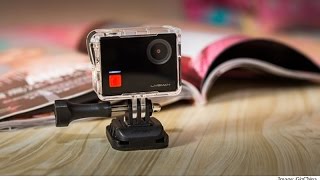
LeEco launches 4K camera, Liveman C1, Honor 6X's January 24 launch TECH NEWS ##7## hindi
-
 8:59
jio feature phone,lg x300,vivo v5 plus HINDI (TECH NEWS ##10##)
-
 7:12
Honor 6X Launched,intex cloud style 4g, itel it1518 4G VoLTE smartphone launched HINDI TECH NEWS #12
-
 2:57
Youtube Go App Launched Demo !! Preview full Video before play !! Download & Send via Wifi
-
 12:18
New Nokia 3310 Relaunch 2017,HTC U Ultra to be announced in India on 21 February TECHNEWS ##18##
-
 6:46
HONOR 8 LITE , Paytm Payments Bank, Tech news ###19