Teaser: Uncovering the Power of the Bezier Tool in CorelDraw
601 views · Published 14 June 2016 · 0:33 · Indexed 20 September 2026
Channel: TheRhinestoneWorld · 2016 · Howto & Style
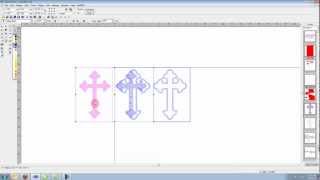
Quick preview of what we will be covering in today's webinar.

We will also go over:

1. How to create a vector shape out of your rhinestone outline
2. Filling in your new vector shape to convert the design into a two color template
3. How to incorporate a Rhinestone TTF to create a NEW custom design
4. How to efficiently edit your rhinestone designs to save time and money

Click here to Register:
http://therhinestoneworld.com/store/#!/06-14-16-BEGINNER-PAID-Uncovering-the-Powers-of-the-Bezier-Tool-in-CorelDraw/p/67418053/category=15973005


See you all there!

Music:
"EDM Detection Mode" Kevin MacLeod (incompetech.com)
Licensed under Creative Commons: By Attribution 3.0 License
http://creativecommons.org/licenses/by/3.0/
More from this channel
-
 1:06
Hotfix Korean Rhinestones Bling
1:06
Hotfix Korean Rhinestones Bling
-
 1:02
Hotfix Korean Rhinestones Bling
1:02
Hotfix Korean Rhinestones Bling
-
 1:04
Hotfix Korean Rhinestones Bling
1:04
Hotfix Korean Rhinestones Bling
-
 7:25
How To Make A Custom Rhinestone Shirt In Under 5 Minutes Sticky Flock Ultimate Sports Pack
7:25
How To Make A Custom Rhinestone Shirt In Under 5 Minutes Sticky Flock Ultimate Sports Pack
-
 1:15
TRW Time-Out #22 Creating A Rhinestone Shirt Proof In Corel Draw In Under 1 Minute With TRW
1:15
TRW Time-Out #22 Creating A Rhinestone Shirt Proof In Corel Draw In Under 1 Minute With TRW
-
 2:37
TRW Time-Out #25 Creating A Double Cut In Smart Cut Pro Rhinestone Software
2:37
TRW Time-Out #25 Creating A Double Cut In Smart Cut Pro Rhinestone Software
-
 2:04
TRW Stone Wizard Tutorial 37 Break Stones Button
2:04
TRW Stone Wizard Tutorial 37 Break Stones Button
-
 2:56
TRW Stone Wizard Tutorial 33 Add stones to path button
2:56
TRW Stone Wizard Tutorial 33 Add stones to path button