Schedule Mac® to Start up, Wake, Sleep, Restart or Shut Down in OS X™
1,475 views · Published 5 April 2014 · 1:36 · Indexed 5 October 2026
Channel: How-To Guide · 2014 · Science & Technology
Scheduling Mac®: When you're not using your Mac® system, you can save energy by putting it to sleep or shut down. Looking for methods to schedule sleep or shut down time in Mac® OS X™, just follow the easy steps shown in this video.

If you need tech support at any given point in time, just dial iYogi™ toll-free number 1-877-524-9644 from the U.S. or Canada, or 0-800-635-0761 from the U.K.

iYogi warrants that the content in this video is provided on an ""as is"" basis with no express or implied warranties whatsoever. Any reference of any third party logos, brand names, trademarks, services marks, trade names, trade dress and copyrights shall not imply any affiliation to such third parties, unless expressly specified.

Visit our channel:
http://www.youtube.com/user/iyogi
Subscribe to stay updated:
http://www.youtube.com/subscription_center?add_user=iyogi
More from this channel
-
 1:36
How to Create shortcut for Last opened Document in MS Word 2013
1:36
How to Create shortcut for Last opened Document in MS Word 2013
-
 1:20
How to Enable and Configure Parental Controls in Mac® OS X™
1:20
How to Enable and Configure Parental Controls in Mac® OS X™
-
 1:11
How to Put your Mac® OS X™ to Sleep Mode
1:11
How to Put your Mac® OS X™ to Sleep Mode
-
 1:04
How to Set Wallpaper on Samsung® GALAXY S II
1:04
How to Set Wallpaper on Samsung® GALAXY S II
-
 1:14
How to Change Wallpaper on Samsung® GALAXY S II
1:14
How to Change Wallpaper on Samsung® GALAXY S II
-
 0:57
How to create a folder in Samsung® GALAXY S II
0:57
How to create a folder in Samsung® GALAXY S II
-
 1:14
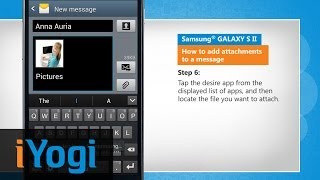
How to Send Multimedia Message on Samsung® GALAXY S II
1:14
How to Send Multimedia Message on Samsung® GALAXY S II
-
 1:15
Samsung® GALAXY S II - How to dial by voice
1:15
Samsung® GALAXY S II - How to dial by voice