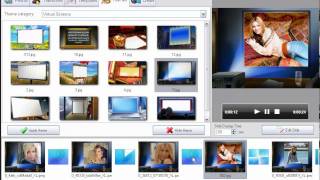
How to Choose the Best Photo for ID - Official Photos at Home Made Easy!
1,001 views · Published 31 March 2017 · 1:41 · Indexed 14 November 2026
Channel: AmsSoftware · 2017 · Howto & Style
Choose and edit the best photo for ID in a few minutes. With Passport Photo Maker software it’s as easy as apple pie! Learn more here:  http://passport-photo-software.com.
Applying for an identity document it’s vital to have an excellent photograph matching all the official requirements. Passport Photo Maker allows you to compare up to 6 photos at a time, estimate their quality and choose the best one. Just drag and drop the pictures to the central pane and take a close attentive look at them. Make sure you or your children look at the camera, the eyes are open, the mouth is closed, both ears and the chin are visible. A smart facial features recognition algorithm will crop the picture for a biometric passport. If needed, edit the selected image – the passport photo software helps you make well-saturated, sharp and clear pictures. Create a professional quality photo for a passport, visa or driving license in no time and with little effort.
Passport Photo Maker is a perfect program to make and print the best ID photos for you and your family. Do it at home - save your time and money!