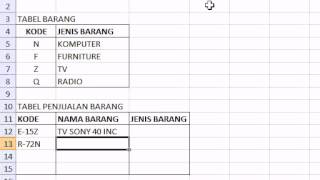
Microsoft excel training |How to Use Data Validation excel - Whole Number - Between PART 3
380 views · Published 10 November 2015 · 4:37 · Indexed 10 November 2026
Channel: rahmat maulana · 2015 · Education
Learning excel :learn how easy Using Excel Data Validation - Whole Number - Between in Microsoft Office Excel 2007. Visit: http://www.azqnet.com

- How to Insert Images into Word Document Table: https://youtu.be/d-nxFHYsxN0
- How to Quickly Design Your Own Letterhead (Excel Header) in Excel: https://youtu.be/mpXaW-yZjoc
- How to Create a Table with a Background Picture in Excel: https://youtu.be/GU-WYVj3By4
- How to make an image background transparent in PowerPoint: https://youtu.be/zhRDR-ps9-8
- How to Make a Transparent Image Background Table in PowerPoint: https://youtu.be/HhNTSvtBRn8
- How to Make a Photo Slideshow With Music in PowerPoint: https://youtu.be/oouEb4W9Cys
- How to Create Birthday Invitation Card in Ms PowerPoint: https://youtu.be/KoDqEJalYoE
- How to Make Wedding Invitation Cards in Ms Word: https://youtu.be/QdGZLWupd7s
- How To Make Your Own Thank You Card in Ms Word: https://youtu.be/U8P8_Jaq8Qk
- How to Make a 1-Page Calendar 12 Months in MS Word: https://youtu.be/kzJBQ_n7ruo
- How to Create Tables and Watermark Pictures in Word :https://youtu.be/JkQLGXNt8CU
- How to Make Your Own a Tri Fold Brochure in Ms Word : https://youtu.be/7aQaeXg1yxk
- How to Make Your Own Travel Brochure in Ms Word: https://youtu.be/i0KoxDNuM0A
- How to Make a Transparent Background Image with a Frame in Word: https://youtu.be/10uTzNF0H5k

- Learn ms word easily: https://www.youtube.com/playlist?list=PLYjULxXZTNY3ICQuoZ-cjltJf-KxcrRe2

- Learn PowerPoint easily: https://www.youtube.com/playlist?list=PLYjULxXZTNY0nRlHv7n9RZ8f4URw-vsSF

- Invitation card tutorial :https://www.youtube.com/playlist?list=PLYjULxXZTNY26Doo9LR5BnqLPeVTBFm82

- Brochure Design Tutorial :https://www.youtube.com/playlist?list=PLYjULxXZTNY38qfWMXzGI9MXXlaIFAUGk

- Your Own Calendar in Ms Word :https://www.youtube.com/playlist?list=PLYjULxXZTNY2nlYi6uVZba1PyfhnpF0ZC

- Your Own Calendar in Ms PowerPoint :https://www.youtube.com/playlist?list=PLYjULxXZTNY2-DFfCBdVSwpGRgUajZbBz

- Learn ms excel easily: https://www.youtube.com/playlist?list=PLYjULxXZTNY1LRi-OQs-XwDKofLp__naW

- Learn photoshop easily: https://www.youtube.com/playlist?list=PLYjULxXZTNY3X577yPCIsXMB6SYZB2oAF

- MIX TUTORIAL : https://www.youtube.com/playlist?list=PLYjULxXZTNY1uNxQGVeLMZhfAa0UNrkus

#microsoftexceltraining
#exel2007tutorial
#learnexcel
#microsoftexceltutorial
#microsoftexcel
#excelformula
#datavalidation
More from this channel
-
 4:17
Cara mudah belajar rumus HLOOKUP beserta contoh di excel|Excel 2007 tutorial
-
 3:37
Cara mudah belajar rumus HLOOKUP LEFT beserta contoh di excel|Excel 2007 tutorial
-
 3:36
Cara mudah belajar rumus HLOOKUP MID beserta contoh di excel|Excel 2007 tutorial
-
 3:14
Cara mudah belajar rumus VLOOKUP RIGHT beserta contoh di excel|Excel 2007 tutorial
-
 2:58
Photoshop tutorials |How to Join Two Pictures with Gradient Effects in Photoshop
-
 2:23
Photoshop tutorials |How to create a Feather Selection In Photoshop
-
 2:06
Photoshop tutorials |How to Merge 2 Pictures With Gradient Effects in Photoshop
-
 2:07
Photoshop tutorials - Straightening pictures in Photoshop