Band-in-a-Box® for Windows® - Custom Installation: Choose What You Want to Install (Option 4)
1,116 views · Published 28 May 2018 · 8:14 · Indexed 30 October 2026
Channel: PG Music Inc. · 2018 · Music
This tutorial shows you how to install your Band-in-a-Box® for Windows® from an External Hard Drive, using "Option 4" of the 4 installation options available.

Option #4 - Custom Installation - Choose exactly what you want to install.  This option is for advanced users who want to be able to select exactly what is installed. For example, you could install RealDrums but not RealTracks, or skip the DX plugins, or install the Video Tutorials, etc.

For more detailed information, visit http://www.pgmusic.com/techfaq51.htm#163

(video created using Band-in-a-Box® 2018)
More from this channel
-
 10:20
Band-in-a-Box® 2008 & 2009 - RealPAK: Jazz Volume 1
-
 19:15
Band-in-a-Box® 2009.5 - RealPAK: Rock-Pop Volume 2
-
 15:02
Band-in-a-Box® 2009.5 - RealPAK: Country Volume 2
-
 12:39
Band-in-a-Box® 2010.5 - RealPAK: Rock-Pop Volume 4
-
 7:52
Band-in-a-Box® 2011 - RealPAK: Jazz Volume 5
-
 6:38
Band-in-a-Box® 2011 - RealPAK: Country Volume 5
-
 7:23
Band-in-a-Box® 2012 - RealPAK: Rock-Pop Volume 7
-
 22:52
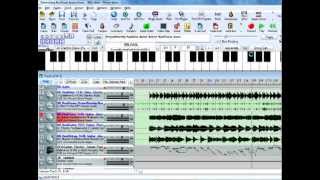
RealBand 2011.5 New Features