C-more Micro HMI Enable the Setup Screen (F1/F5) from AutomationDirect
4,003 views · Published 21 June 2012 · 2:49 · Indexed 20 September 2026
Channel: AutomationDirect.com · 2012 · Science & Technology
To learn more: https://www.automationdirect.com/C-more-micro?utm_source=PVcWrXcJx48&utm_medium=VideoTeamDescription - (VID-CK-0029)

This videos shows how to enter the setup screen by pressing the F1 & F5 function keys on the C-more Micro panel.

Online Support Page: https://community.automationdirect.com/s/?utm_source=PVcWrXcJx48&utm_medium=VideoTeamDescription

**Please check our website for our most up-to-date product pricing and availability.

Related AutomationDirect.com part numbers:  EA1-S3MLW, EA3-T6CL, EA3-T4CL, EA3-S3ML, EA3-S3ML-R, EA3-S3ML-RN, EA1-TCL-M, EA-MG-PGM-CBL
More from this channel
-
 1:01
FIRST Robotics in Forsyth County - AutomationDirect 2010 Movie Theater Trailer
1:01
FIRST Robotics in Forsyth County - AutomationDirect 2010 Movie Theater Trailer
-
 0:11
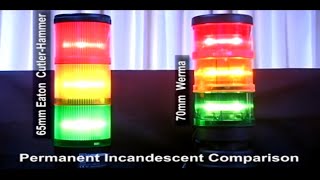
Werma & Eaton Cutler Hammer Stacklight Comparison from AutomationDirect
0:11
Werma & Eaton Cutler Hammer Stacklight Comparison from AutomationDirect
-
 6:16
Connect a Nitra CMV Valve to a Productivity PLC via Implicit Ethernet/IP from AutomationDirect
6:16
Connect a Nitra CMV Valve to a Productivity PLC via Implicit Ethernet/IP from AutomationDirect
-
 1:02
BRX Do-more Designer Using the SGCONVRG Instruction from AutomationDirect
1:02
BRX Do-more Designer Using the SGCONVRG Instruction from AutomationDirect