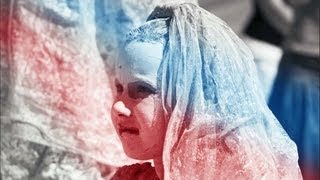
Outdoor Image Color Processing - Walkthrough
1,472 views · Published 12 May 2017 · 7:23 · Indexed 23 October 2026
Channel: Photoshop Retouching · 2017 · Education
Get the course here: http://bit.ly/2pfteAo

What You will find in this course:

1. In the first part of the course we will be working on natural light photography - one of the most popular photography in recent years.

- I will make sure you will know how to process your raw images, no matter if you will use adobe camera raw, or capture one software.

- I will show You how to clean up portrait images including dodge & burn process.

- I will teach you how to do color grading using most effective adjustement layers, as well as other techniques to let you choose your own way of reatouching.

- I will teach you how to choose color theme for your image that most suit certein kind of photography.

2. In the next part we will jump into studio fashion and beauty images.

- I will teach you more techniques on general retouching including cleaning up process as well as working with contrasts on advanced level.

- You will learn how to grade images selectively on shadows and highlights, as well as how to work with images with complementary color harmony.

- You will learn how to correct colors of the image, how to take down certain color off your image as well how to fix color and stauration shifts.

- I will show You how to do final touch ups for your image in camera raw, to make them look perfect.

3. In the last part of the course we will do something much more creative. We are going to work on street fashion images with different color palettes.

- I will show you the way to process such an raw images.

- You will learn how to work selectivaly with each color no matter which part of the image you want to work with, sky, clothes, hair. You will know how to improve each color.

- You will learn how to work with the images from the same set. How to make their colors have one main theme.

- Including with final touch ups I will teach you simple trick that allows you to break off strong color transitions.
More from this channel
-
 1:49
sony vegas - color splash (sin city effect)
-
 1:42
How to download video from youtube
-
 1:10
Photoshop CS6: nice dramatic color effect (fast show)
-
 0:57
Photoshop CS6: Instagram Nashville Effect (fast show)
-
 2:16
Photoshop CS6: Human to Vampire
-
 1:23
Photoshop CS6: Retro Effect (fast show)
-
 4:27
Photoshop CS6: Szybki retusz na czarno białym zdjęciu
-
 2:05
Photoshop CS6: Colored Rays of Light