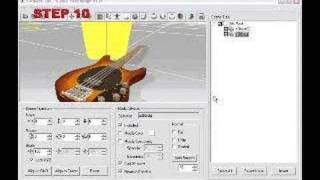
Iray Render Plug-in Tutorial - Super Shader Multiplier Settings
2,816 views · Published 27 September 2018 · 4:06 · Indexed 2 October 2026
Channel: Reallusion · 2018 · Film & Animation
Find out more about Iray Render Plug-in:
https://www.reallusion.com/render/iray/default.html

Find out more about iClone 7: https://www.reallusion.com/iclone/

Find out more about Character Creator 3: https://www.reallusion.com/character-creator/default.html

Iray rendering allows the creation of state-of-the-art workflows with access to photorealistic and physically based rendering technology. It does this by simulating real-world physical behaviors of light and materials. The Iray implementation into Character Creator and iClone come with a collection of easy-to-apply materials that do not require the user to have vast knowledge in computer graphics techniques, thanks to its material and lighting auto-conversion and extensive material library design.

The Iray plug-in for Character Creator opens up a whole new realm of possibilities for really showing off your character creations and props in photo-realistic quality.  In this tutorial, you'll learn about Multiplier parameters and how you can use them to tweak the appearance of various aspects of your final image.

00:24 Adjust Base Color and Roughness
01:25 Adjust Opacity
02:04 Adjust Bump
02:47 Adjust Emissive

ONLINE HELP
Character Creator 3:
http://manual.reallusion.com/Character_Creator_3/ENU/3/Default.htm
Iray Render Plug-in:
http://manual.reallusion.com/Iray_Render_Plug_in/ENU/1/Default.htm

FOLLOW US!
 Facebook: https://www.facebook.com/ReallusionSoftware/
 Forum: http://forum.reallusion.com/default.aspx
 Blog: http://blog.reallusion.com/