iOS 10 Beta 3 - Released
690 views · Published 23 July 2016 · 3:07 · Indexed 31 October 2026
Channel: Foxtecc · 2016 · Entertainment
iOS 10 Beta 3 - Released

What is going on guys Apple Fox here and in this video I’ll talk to you a bit about the update of iOS 10 it’s actually beta 3 already, and I’ll be showing you where Apple is going with the update and of course the new features the update comes with. As I said this is the third beta of iOS 10 and some features present right now might not appear in the final version. But we can see it all the time, we get something in one beta then it’s taken away in another. But anyways let’s jump into it.
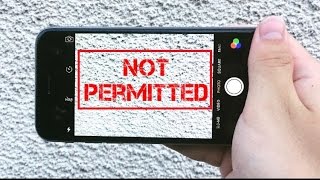
So the most major feature in this beta is that now your iPhone is able to recognise when moisture gets into your lightning port, so if you connect a lightning cable to your iPhone and there’s a water on it, this screen pops up saying you need to unplug the cable in order to make the lightning port dry. This means that there was a secret sensor in iPhone that wasn’t used until now, but it doesn’t make much sense to me. Why would Apple keep it as a secret? You can also click ignore but of course it doesn’t solve your problem.
The sound when locking an iPhone is now changed. Instead of the longer sound, that was reality for a very long time by the way, there is the new short sound which is better I think, but takes some time to get used to. And also there is a haptic feedback when you click the power button to lock your device, but only of you have taptic engine, so in case you have older device you won’t feel anything but you get the new sound regardless.
The sound when typing on the keyboard is also changed. It’s actually the one we’ve seen in the first beta, it got removed in the second and now it’s back again.
In settings with iOS 10 was added a new toggle representing siri, but now if you open it up you can see a new toggle saying App support.  So as you surely know siri is now able to work with third party apps and in here you’ll be able to manage the apps you want or don’t want to be used by siri. So in the future this place will be full of apps able to work with siri.
When you go to the notification centre, the animation when sliding down is a little different, with the notifications just showing up instead of sliding down.
Rest finger to unlock. Yes it is not really a new feature in third beta but before it wasn’t really working that well, and now it is fully functional. So Rest finger to unlock is feature we all know from iOS 9, back then it wasn’t called rest finger to unlock but it was there meaning you could just put your finger on the homebutton and you were inside. With iOS 10 the slide to unlock has been removed and you have to click the homebutton to read your finger in order to unlock your iPhone. But with this feature enabled you don’t have to. This works especially well with raise to unlock, so you don’t have to press any buttons at all.
When I swipe to get widgets on the lockscreen, the clock of course moves to the side but if I start to scroll down notice what happens with the clock. As I’m going down the clock is going away but once it disappears, it appears in the status bar up here, so now you’ll  always have the option to see the clock.
In messages when attaching a Picture, the image picker doesn’t crop the images anymore and now everything shows up in original size. This is useful because you don’t have to guess what Picture it is.
And finally in the health app there is now text saying some more information about the actual section of the app.
So this is the end of this video, hopefully you like it, leave a thumbs up if you do and don’t forget to check out some of my other videos. And if you like them then definitely click the subscribe button, so you won’t miss anything. Have a fantastic day and see you next time.