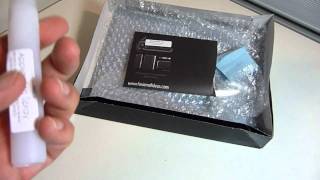
How To Upgrade Foscam C1 Firmware Software
4,577 views · Published 24 June 2015 · 2:17 · Indexed 25 October 2026
Channel: AwkwardHamster · 2015 · People & Blogs
How To Upgrade Foscam C1 Firmware Software
Product Link: http://amzn.to/1L4l4eF
Foscam C1 Review: http://youtu.be/zcW0WomWfX0
Foscam C1 Setup: https://youtu.be/Zi1nNAjgOHQ
Foscam C1 Unboxing: https://youtu.be/XihqjcKzXj8

Foscam C1 Indoor HD 720P Wireless Plug and Play IP Camera with Night Vision Up to 26ft, Super Wide 115° Viewing Angle, PIR Motion Detection

"Plug & Play" function features the ability to connect via smartphone by simply scanning the QR code on the camera. High quality HD video combined with enhanced firmware features for smoother video and auto IR-Cut filtering for better color accuracy.
Continuous day/night surveillance is accomplished with powerful IR-LEDs for night vision up to 26ft, sophisticated passive infrared (PIR) motion detection, and a super wide lens 115 Degree viewing angle mean nothing will slip by your Foscam C1.
Includes motion detection alerts via email, image uploads to FTP, free local recording to SD card or hard drive storage, and free Foscam DDNS service for dynamic IP addresses. Optional Foscam Cloud remote storage is also available (free trial included).
Supports remote viewing & recording from anywhere on desktop computers with standard web browsers such and on smart devices such as iPhones and Android mobiles with included Foscam Viewer app. Other popular apps such as Live Cams Pro are also compatible.

http://twitter.com/AwkwardHamster
https://www.facebook.com/AwkwardHamster
https://plus.google.com/+AwkwardHamster/
More from this channel
-
 4:20
First Unboxing of StealthArmor for New iPad 2 (HD)
-
 4:32
Unboxing & Review of iPad 2 Leather Case (HD)
-
 0:11
E3 2011 Sony Press Event
-
 8:31
Go Rock Speaker for iPhone and iPad Unboxing and Review (HD)
-
 2:08
Fatherhood - Pediatrician Visit 2 Months
-
 2:28
Fatherhood - Good Morning Marcus 12-26-2011
-
 7:05
How To Jailbreak Apple iPhone 4S & iPad 2 on Windows (HD)
-
 5:43
Fotopro NRA-55Q Monopod Unboxing & Review (HD)