Purchase sale Database in access Part 17 -Sales Invoice Report 2
2,712 views · Published 21 December 2018 · 11:39 · Indexed 15 October 2026
Channel: MCi Tech · 2018 · Education
Hello Friends, In this video tutorial you can learn how to create sub total ,Net Total creation in invoice report .Using sum function I am creating selected each customer Bill Sub total of Qnty, Amount, Discount, AccessAmount, CGSTRate,SGSTRate and Grand Total in purchase sale database invoice report. After using this sum function you can display or print selected each customer Bill.

I hope you like this tutorial.
Thanking you

You can watch --------------

Purchase sale Database in access Part 16 -Sales Invoice Report 1 https://youtu.be/0ZdgTZ9mjMA

For more www.youtube.com/c/MCiTech

#invoice#salesinvoice
More from this channel
-
 4:55
How to use PMT function in excel WITH EXAMPLE | PMT Financial function
4:55
How to use PMT function in excel WITH EXAMPLE | PMT Financial function
-
 12:22
How to make Your Own Book cover using MS word 2007
12:22
How to make Your Own Book cover using MS word 2007
-
 4:53
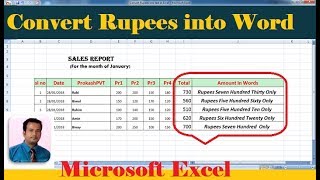
Convert rupees into text in excel | with step wise tutorial
4:53
Convert rupees into text in excel | with step wise tutorial
-
 8:40
creating, saving Barcode - using Barcode Generator Software Part2
8:40
creating, saving Barcode - using Barcode Generator Software Part2
-
 11:12
Auto Result Sheet in Excel
11:12
Auto Result Sheet in Excel
-
 20:13
How to create Logo in ms word Part 3
20:13
How to create Logo in ms word Part 3
-
 8:16
Using Predefined Fonts in HTML - Lesson3
8:16
Using Predefined Fonts in HTML - Lesson3
-
 7:55
Background colour in html Lesson4
7:55
Background colour in html Lesson4