Adobe Illustrator Tutorial : Graphic Design
1,605 views · Published 6 July 2016 · 41:35 · Indexed 14 November 2026
Channel: Swiftyspade · 2016 · Howto & Style
In this video I teach you the basic way to put together and create a monster character. The tools I use are the pen tool, shape builder, gradient, screen modes, and pathfinder options. I did this using only a mouse, just to be fair with people who don't own a tablet. I do hope you enjoy the video, and please hit it up with a like if ya could. I know, you hate people who ask for a like.
http://swiftyspade.com/
http://swiftyspade.bigcartel.com/
http://www.redbubble.com/people/swiftyspade
http://www.facebook.com/pages/SWIFTYSPADE/326582857353111
http://swiftyspade.tumblr.com/
http://www.behance.net/stevenbryant
https://twitter.com/SwiftySpade
http://swiftyspade.deviantart.com/
More from this channel
-
 7:44
Hollow Soul coloring in photoshop with a wacom cintiq
-
 7:00
CandyCocaineHeart coloring in photoshop with a wacom cintiq
-
 7:51
Peak of the Red Flood coloring in photoshop with a wacom cintiq
-
 9:22
FACIAL coloring in photoshop with a wacom cintiq
-
 9:19
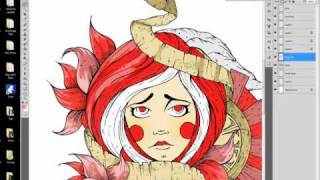
Devoured-tutorial coloring in photoshop with a Wacom Cintiq
-
 7:53
Major Tom lost in space-Colored in Adobe Photoshop
-
 11:48
Cartoonity
-
 10:14
Coloring in Adobe Photoshop "Neon Glory"-Swiftyspade