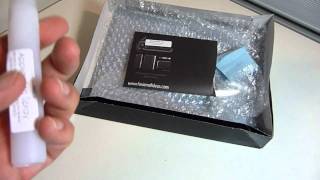
How To Recalibrate Leap Motion Controller
1,455 views · Published 22 January 2014 · 0:42 · Indexed 6 November 2026
Channel: AwkwardHamster · 2014 · People & Blogs
Howto Recalibrate Leap Motion Controller

Amazon Product Link: http://amzn.to/18lBoqW

Product Description
You can only do so much on a computer with clicks and taps, but the Leap Motion controller makes a huge leap forward. Now you can interact with your computer in real, natural ways - with your hands and fingers in the air!
When you buy the Leap Motion controller, you are bringing the future into the present. Your gestures are translated into instructions to your computer.
Lets you do almost anything without touching anything
Browse the Web, read articles and flip through photos with gestures. Draw, paint and design with a fingertip, pencil or brush. Steer cars, fly planes and build 3D objects with your hands.
Superfast and accurate to a pinpoint
Play games, paint a picture or conduct music with extreme accuracy and no visible delay.
Sleek, light and tiny - only 3" long - so the Leap Motion controller takes up hardly any space on your desk.
Sets up in three easy steps
Just plug the USB cable into your Mac or PC, download the software and do a quick wave to calibrate. Then head straight to Airspace, the Leap Motion app store, and get ready to do amazing stuff.
Access to Airspace, the dedicated app store
Play games, make music and organize photos through the collection of Leap Motion applications available for download (additional charges may apply).
Simple USB connectivity
Two USB 2.0 cables with microUSB 3.0 connectors are included with the Leap Motion controller, in lengths suitable for both laptop and desktop computers.
size 0.5 x 1.2 x 3 inches 0.1 pounds
Windows 7 or 8 or Mac OS X 10.8 Mountain Lion (minimum requirements: AMD PhenomTM II or Intel® CoreTM i3, i5 or i7 processor; 2GB RAM; USB 2.0 port; Internet connection)
Length of Cord 124" and 60"
USB 2.0 microUSB 3.0 connectors
Motion controller

http://twitter.com/AwkwardHamster
https://www.facebook.com/TheAwkwardHamster
https://plus.google.com/+AwkwardHamster/
More from this channel
-
 4:20
First Unboxing of StealthArmor for New iPad 2 (HD)
-
 4:32
Unboxing & Review of iPad 2 Leather Case (HD)
-
 0:11
E3 2011 Sony Press Event
-
 8:31
Go Rock Speaker for iPhone and iPad Unboxing and Review (HD)
-
 2:08
Fatherhood - Pediatrician Visit 2 Months
-
 2:28
Fatherhood - Good Morning Marcus 12-26-2011
-
 7:05
How To Jailbreak Apple iPhone 4S & iPad 2 on Windows (HD)
-
 5:43
Fotopro NRA-55Q Monopod Unboxing & Review (HD)