How To Install Windows 10 Technical Preview Build 9926 with Cortana
2,884 views · Published 30 January 2015 · 7:22 · Indexed 21 September 2026
Channel: Matthew Moniz · 2015 · Science & Technology
This video teaches you how to install Windows 10. This is the latest build, which was announced at Microsoft's most recent event. It has Cortana, the new Start menu and Notification Center. At the end of the video I do a super quick review.

Virtual Box:
https://www.virtualbox.org/

- After installing Virtual Box, you might only be able to select 32-bit operating systems. If that is the case, you need to enable virtualization in your BIOS.

Microsoft Technical Preview Download:
http://windows.microsoft.com/en-us/windows/preview-iso

Download the Windows Technical Preview ISO file and install virtual box, before watching this video.


Don't forget to follow and subscribe to my channel. Thanks for watching!

Facebook: https://www.facebook.com/mattmoniz123
Twitter: http://www.twitter.com/mattmoniz
Website: http://www.matthewmoniz.com
More from this channel
-
 5:01
Top 5 Tech Products That Got Abandoned in 2014
5:01
Top 5 Tech Products That Got Abandoned in 2014
-
 7:27
Dell Venue 8 7000 Review!
7:27
Dell Venue 8 7000 Review!
-
 4:50
Moto E (2nd Gen) Review: Is This the Best Budget Smartphone?
4:50
Moto E (2nd Gen) Review: Is This the Best Budget Smartphone?
-
 3:12
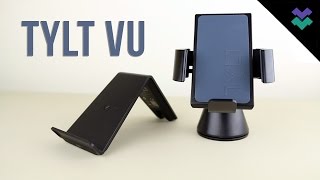
TYLT VU Wireless Charger and Wireless Charging Car Mount Review!
3:12
TYLT VU Wireless Charger and Wireless Charging Car Mount Review!
-
 3:14
LG G5: Rumors, Leaks and Crazy New Design!
3:14
LG G5: Rumors, Leaks and Crazy New Design!
-
 5:22
Ask Me Anything #4 - Best Smartphone of 2016?
5:22
Ask Me Anything #4 - Best Smartphone of 2016?