compile c sharp code in console- mono - windows 7 - 64 bit
2,780 views · Published 6 October 2016 · 4:21 · Indexed 30 September 2026
Channel: Godarium · 2016 · People & Blogs
compile c sharp  with console  and Mono

download and install

http://www.mono-project.com/download/

---

open installation folder

C:\Program Files\Mono\bin

add to path  :  ;C:\Program Files\Mono\bin

dont forget that ;

now run compile
--------------------

type: mcs "filename with extension...

run: click on / run  throught console..
-----

you can  choose name of  your exe file  with this:

mcs "filename".cs  -out:"NameOfFile".exe

ex: mcs hello.ca -out:coco.exe

---------------
https://msdn.microsoft.com/fr-ca/library/78f4aasd.aspx
More from this channel
-
 2:01
add web link to windows 8 start screen
2:01
add web link to windows 8 start screen
-
 1:13
Office publisher - change page size-
1:13
Office publisher - change page size-
-
 2:21
install Turbot pascal - windows 7 - dosbox
2:21
install Turbot pascal - windows 7 - dosbox
-
 11:15
install Turbot pascal - Linux Mint 17 - dosbox
11:15
install Turbot pascal - Linux Mint 17 - dosbox
-
 6:01
turbo c ++ - windows 7 install- - dosbox
6:01
turbo c ++ - windows 7 install- - dosbox
-
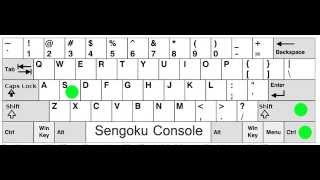 2:13
Open Sengoku Console ( and close) Same 4 All Paradox game
2:13
Open Sengoku Console ( and close) Same 4 All Paradox game
-
 0:32
Asus A52F series Laptop - reinstall = Hold F9
0:32
Asus A52F series Laptop - reinstall = Hold F9
-
 1:20
Publisher save as pdf
1:20
Publisher save as pdf