how to create table in ms access steps | Part-1
1,503 views · Published 27 October 2017 · 10:44 · Indexed 8 November 2026
Channel: MCi Tech · 2017 · Education
Hello everyone ,MS Access मे  Table कैसे बनाएं easy and simple step described follow steps-

step 1 - click table
step 2 - Right click mouse
Step 3 - click Design view
Step 4 - enter Field name & Data types
Step 5 - Text data types uses for enter both number & character
Step 6 - Number Data types uses for only number (1,2,3.. any number)
Step 7 - Date/Time data types uses for only Date and Time format
Step 8 - Attachment data types uses for add/insert image file ...
watch this video simple step wise tutorial , Thank you for watch
#tableaccess#accesstabletutorial#accesstutorial
More from this channel
-
 2:47
How to change folder icon with PNG file using MS Paint | without Converter s/w
-
 4:55
How to use PMT function in excel WITH EXAMPLE | PMT Financial function
-
 12:22
How to make Your Own Book cover using MS word 2007
-
 4:53
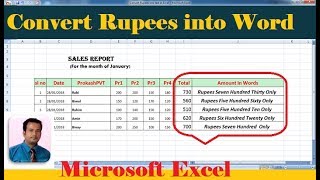
Convert rupees into text in excel | with step wise tutorial
-
 13:08
Attach video file to an Access Database
-
 8:40
creating, saving Barcode - using Barcode Generator Software Part2
-
 11:12
Auto Result Sheet in Excel
-
 20:13
How to create Logo in ms word Part 3