Photoshop Tutorial : Cinematic Color Tone In Photoshop
1,671 views · Published 26 August 2017 · 13:03 · Indexed 20 October 2026
Channel: Farzzology · 2017 · Education
Photoshop Tutorial : Cinematic Color Tone In Photoshop

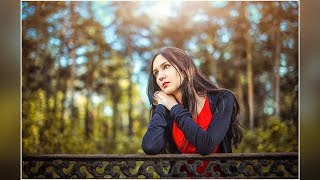
Hi, In this tutorial I'm gonna show to how to create a cinematic color tone effect in photoshop. You can make your photo more attractive and give a dramatic look. Hope you will enjoy !

Please do subscribe and like :)
______________________________________
Image Credit : http://www.freepik.com/free-photo/girl-in-a-long-sleeved-sweater_986384.htm
__________________________________________
Facebook :  https://www.facebook.com/farzzhasin
Instagram : https://www.instagram.com/farzz_/
_______________________________
Background Music : http://www.bensound.com/
_____________________________________

Tags
- How to add warm tone in Photoshop cc
- How to to edit portrait in Photoshop
- Free Photoshop Tutorial
- professional outdoor edit in photoshop
- New Photoshop cc
- Tips & Trick photoshop
- Learn Basic staff in Photoshop
- How to create cinematic color tone
- How to Brightness to the image in photoshop
- How to add matte effect
- Basic teach
- Pro Edit
- cinematic color grading
More from this channel
-
 5:26
Photoshop Tutorial : How to create Face Logo in Photoshop
-
 5:24
Photoshop Tutorial : How to Create a Porcelain Skin Effect in Photoshop
-
 12:20
Photoshop Tutorial : How To Create Neon Stroke Text Effect in Photoshop
-
 15:59
Photoshop Tutorial : Blend and Retouch in Photoshop - Outdoor Portrait Edit
-
 7:56
Fairy Light Portrait Edit in Photoshop | Edit Like Brandon Woelfel
-
 7:13
Photoshop CC Tutorial : Outdoor Portrait Edit - Color Grading Tutorial
-
 13:31
Photoshop Tutorial : Outdoor Portrait Edit - Cinematic Color Tone Tutorial
-
 14:01
Photoshop Tutorial : How To Edit Portraits - Retouch and Background Change