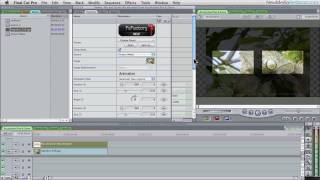
TitleMations for FCP X Title Box Tutorial 5
1,525 views · Published 25 May 2016 · 5:26 · Indexed 21 September 2026
Channel: FxFactory · 2016 · Film & Animation
https://fxfactory.com/info/rippletitlemations/

TitleMations is a set of professionally designed, animated title templates for Final Cut Pro X that can be used to enhance your video projects and capture your viewer’s attention.

With over 2 dozen templates to choose from, you can use Titlemations “out of the box” or you can change the look, style and animation properties with only a few mouse clicks.

Titlemations were designed for ultimate flexibility, allowing you to mix and match, combine, and build title animations that are sophisticated, elegant and engaging.

Titlemations from Ripple Training are sold, delivered, and managed through the FxFactory application, and appear in the Titles Browser in Final Cut Pro X once installed. A fully-functional watermarked version is available for free.

Creating clean professional-looking title animations should be easy.  With Titlemations, now they are.

FxFactory Plugins for Final Cut Pro, Motion, Premiere Pro and After Effects:
https://fxfactory.com
More from this channel
-
 1:06
FxFactory: Video Wall 2 Promo
1:06
FxFactory: Video Wall 2 Promo
-
 1:27:36
FCP & AE VFX Plug-in Essentials FxFactory Webinar
1:27:36
FCP & AE VFX Plug-in Essentials FxFactory Webinar
-
 2:25
Box Point & Info Label Callouts for Final Cut Pro X
2:25
Box Point & Info Label Callouts for Final Cut Pro X
-
 2:38
Final Cut Pro X Detailer Tutorial
2:38
Final Cut Pro X Detailer Tutorial
-
 6:25
TitleMations for FCP X Text Reveal Theme Tutorial 2
6:25
TitleMations for FCP X Text Reveal Theme Tutorial 2
-
 4:36
Title Punch for FCP X - Shadow Tutorial
4:36
Title Punch for FCP X - Shadow Tutorial
-
 0:43
1Matte Mask for Premiere Pro, FCP X, Motion and AE
0:43
1Matte Mask for Premiere Pro, FCP X, Motion and AE
-
 2:16
Word Pop for Final Cut Pro X Tutorial
2:16
Word Pop for Final Cut Pro X Tutorial