HP mini 2140 Laptop Reassembly Guide after Maintenance
1,965 views · Published 10 December 2014 · 14:33 · Indexed 12 October 2026
Channel: How-FixIT · 2014 · Science & Technology
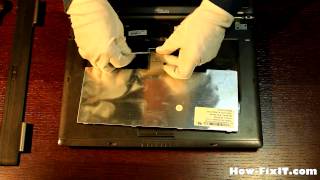
In this detailed tutorial, I'll guide you through reassembling your HP mini 2140 laptop to its full functionality after maintenance.
Buy tools on AMAZON:
Screwdriver Set: https://hfixt.com/spro
Opening Tool Set: https://hfixt.com/pryt
Magnetic Mat: https://hfixt.com/mat
Tweezers: https://hfixt.com/tzrs
Thermal paste: https://hfixt.com/past
Thermal pads: https://hfixt.com/tpad

Global AliExpress:
Screwdriver set: https://hfixt.com/alis
Opening tool set: https://hfixt.com/alit
Magnetic Mat: https://hfixt.com/amat
Tweezers set: https://hfixt.com/altz
Thermal paste: https://hfixt.com/alip
Thermal pads: https://hfixt.com/apad

🚀✨*Useful links*
How to fix laptop overheating: https://youtu.be/1PTRCc_BRtQ
The best thermal paste for laptop: https://youtu.be/rwSuyQOzgPo
Laptop Cooling Pad Efficiency: https://youtu.be/ecgGRYfryio
More DIY repair guides: https://how-fixit.com

Follow me for more tech tutorials:
Instagram: https://www.instagram.com/howfixit/
Facebook: https://www.facebook.com/HowFixit/
Twitter: https://twitter.com/HowFixit

*DESCRIPTION*
Welcome to our comprehensive laptop reassembly guide, your go-to resource for mastering the intricate process of restoring your HP mini 2140 laptop after maintenance. Whether you've just replaced a faulty component or performed routine maintenance to fix CPU overheating, the proper reassembly is crucial for ensuring your laptop's optimal performance. In this guide, I'll walk you through each step in detail and clearly, allowing you to assemble the HP mini 2140 laptop yourself.
If you found this guide helpful, don't forget to give it a thumbs up, subscribe for more expert tech content, and share it with fellow laptop enthusiasts. Your support keeps us creating valuable content for you!

AFFILIATE PROGRAM
We are a participant in the Amazon Services LLC Associates Program, an affiliate advertising program designed to provide a means for us to earn fees by linking to Amazon and affiliated sites.

#howfixit #fixit #guide #diy #techrepair #doityourself
More from this channel
-
 3:46
Dell Studio 1535, 1536, 1537 Keyboard Replacement | Step‑by‑Step DIY Guide
3:46
Dell Studio 1535, 1536, 1537 Keyboard Replacement | Step‑by‑Step DIY Guide
-
 11:38
Sony VAIO VGN-AR41MR model PCG-8Y3P Laptop Reassembly Guide
11:38
Sony VAIO VGN-AR41MR model PCG-8Y3P Laptop Reassembly Guide
-
 12:56
How to reassemble laptop Acer Aspire 5253
12:56
How to reassemble laptop Acer Aspire 5253
-
 12:23
Dell Inspiron 15 - 3521, 5521 Laptop Reassembly Guide
12:23
Dell Inspiron 15 - 3521, 5521 Laptop Reassembly Guide
-
 13:49
Acer Aspire 5551, 5552, 5251 backward assembling process
13:49
Acer Aspire 5551, 5552, 5251 backward assembling process
-
 17:06
Sony VAIO SVE141P13W Disassembly, Fan Cleaning, and Thermal Paste Replacement Guide
17:06
Sony VAIO SVE141P13W Disassembly, Fan Cleaning, and Thermal Paste Replacement Guide
-
 6:32
Sony VAIO SVE151G11M Laptop Reassembly Guide
6:32
Sony VAIO SVE151G11M Laptop Reassembly Guide
-
 2:22
DIY Fujitsu Siemens Esprimo V5515, V5315 Keyboard Repair – Step-by-Step Replacement Guide
2:22
DIY Fujitsu Siemens Esprimo V5515, V5315 Keyboard Repair – Step-by-Step Replacement Guide