Toon Boom Tip #32 - The Animatic Process - Week 2 Part 2
786 views · Published 20 November 2012 · 7:13 · Indexed 5 October 2026
Channel: Toon Boom Animation · 2012 · Film & Animation
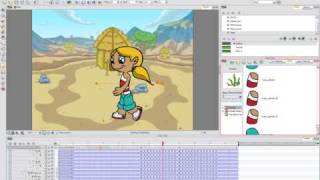
This week we continue the Storyboard Pro topic with the Animatic Process. Once again our guru and Professional Product Manager, Lilly Vogelesang, will explain the ins and outs of creating and animatic using Storyboard Pro and Storyboard Pro 3D. There are three main topics in creating an animatic, these are: Drawing; Animating the Camera Moves; and Importing Sound.

In Part 2 of the video, Lilly continues to describe Tracking camera movement and talks about Adding keyframes to the panel position. She shows how to place keyframes and explains frame identification colours used as a guide when you add keyframes to the panel position. Next, previewing the camera tracking to see if it is what is required is demonstrated. Lilly continues by adding a rough background to make the camera tracking more relevant to the scene, its size is also determined so it is large enough to cover the frames.
Lilly then explains a quick way to make the character on top of the background more visible as it walks across the background. She does this by Whiting out the background using brush preset shading. At this point the main topics of Drawing and Animating the Camera Moves have been covered and Importing Sound, the final aspect the animatic process is discussed.
Once the sound is imported LIlly explains the following features: Showing the soundtrack waveform, Sound Scrubbing and Splitting the sound sequence at the current frame. She continues by Creating multiple soundtracks for sound effects, dialogue, music etc. Lilly concludes the animatic process by Adding a fade-to-black and Adding a transition and setting its duration.
More from this channel
-
 0:34
Create your own animation style
0:34
Create your own animation style
-
 0:44
Toon Boom Digital Pro - Flexible User Interface
0:44
Toon Boom Digital Pro - Flexible User Interface
-
 1:01
Toon Boom Digital Pro - Superior Animation Tools
1:01
Toon Boom Digital Pro - Superior Animation Tools
-
 2:21
Toon Boom Animate Family Demo video part 5
2:21
Toon Boom Animate Family Demo video part 5
-
 3:30
Toon Boom Animate Family Demo video part 7
3:30
Toon Boom Animate Family Demo video part 7
-
 0:46
Toon Boom Animate Family Demo video part 9
0:46
Toon Boom Animate Family Demo video part 9
-
 1:11
Toon Boom Animate Family Demo video part 11
1:11
Toon Boom Animate Family Demo video part 11
-
 0:34
Toon Boom Animate Family Demo video part 19
0:34
Toon Boom Animate Family Demo video part 19