Unboxing EZCast DUO mobile display adapter
4,194 views · Published 19 September 2018 · 3:17 · Indexed 8 November 2026
Channel: EZCast · 2018 · Science & Technology
Do you want to plug and play your smartphone to an HDTV?

Keep watching and we'll show you how EZCast DUO works.

When you open a box of EZCast DUO, you will first notice an instruction manual, and the EZCast DUO dongle.

An EZCast DUO has normal USB, microUSB and audio inputs.

It supports both VGA and HDMI video outputs and also audio output for external speakers.

When setting up the EZCast DUO, you can plug an HDMI cable from the HDTV to the dongle output.

The micro USB port is for the external USB power supply.

Then switch the TV to the right input to see the start up screen on your TV.

Then plug your smartphone charging cable to the USB input on EZCast DUO to screen mirror.

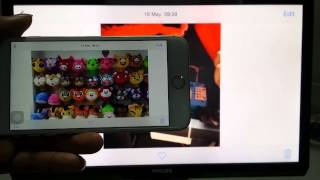
For an iPhone, plug the Lightning cable into iPhone and select Trust to screen mirror right away. 1:07

Everything you see on the iPhone is shown on the TV, with minimum latency.

Watching YouTube videos on the big screen is a much better experience now.

If you use an Android phone, plug the USB charging cable to your phone, and click on the EZCast icon on the bottom right. 1:30

After waiting a few seconds, your phone starts screen mirroring on the TV.

YouTube also works great, if you rotate your phone to landscape, you get full screen video viewing on the big screen.

If you want to screen mirror from your laptop, just use one USB cable that plugs into the micro USB port.

And plug the other end of the USB cable to your Windows laptop. 2:12

Then use the EZCast app to start mirroring right away.

You can also use the Extend function to make your HDTV a second screen.

You can even watch full screen videos on your second screen.

After you plug the USB cable to your Mac, execute the EZCast app to start mirroring your Mac screen to HDTV. 2:46

Similar to Windows laptop, the Extend function also lets your HDTV become an extended desktop.

So you can watch videos and browse internet at the same time.

Visit https://www.ezcast.com/product/ezcast for more information about EZCast DUO

Download EZCast app for better screen mirroring experience https://www.ezcast.com/app
More from this channel
-
 1:46
EZCast ASUS FonePad 7 Miracast connection
-
 8:43
EZCast New UI--Windows Phone User Manual
-
 1:43
EZCast iOS8.4(iPhone6 Plus )EZAir connection
-
 2:02
EZCast Miracast Sony Z3 Demo (Android 5.0)
-
 5:27
EZCast PRO for Chrome OS - How to
-
 1:27
Firmware Upgrade for EZCast Pro LAN - How to
-
 2:19
Rich AV formats (with 4K HEVC) Video Streaming from Android/iOS/Windows/Mac
-
 1:16
EZCastPro BOX:Touch Back Control