EAF#36 Part 2 - Index Array with Dynamic Chart
2,251 views · Published 9 January 2013 · 7:23 · Indexed 14 October 2026
Channel: ExcelTricksforSports · 2013 · Science & Technology
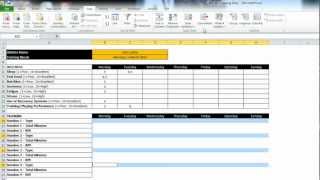
Add a dynamic chart to the data table created with an Index Array Formula. Use a drop down list to select an athlete name and then have a formula return multiple records. The most useful function i have learned in excel in the last 5 years.
More from this channel
-
 4:19
EAF#5B - Speed Test Conversion
4:19
EAF#5B - Speed Test Conversion
-
 14:37
EAF # 10B - Build an Athlete Training Diary - Part 2
14:37
EAF # 10B - Build an Athlete Training Diary - Part 2
-
 9:47
EAF # 10D - Build an Athlete Training Diary - Part 4
9:47
EAF # 10D - Build an Athlete Training Diary - Part 4
-
 20:19
EAF # 12B - Excel 2010 Tips and Tricks - Part 2
20:19
EAF # 12B - Excel 2010 Tips and Tricks - Part 2
-
 18:25
EAF #13 - Use Multiple IF Criteria to Edit an Excel Dynamic Dashboard (Table and Chart)
18:25
EAF #13 - Use Multiple IF Criteria to Edit an Excel Dynamic Dashboard (Table and Chart)
-
 6:36
EAF#25 - Using Evernote to be Awesome at Excel
6:36
EAF#25 - Using Evernote to be Awesome at Excel
-
 6:17
EAF#31 - Creating and Using the Personal Macro Workbook in Excel 2010
6:17
EAF#31 - Creating and Using the Personal Macro Workbook in Excel 2010
-
 9:05
EAF#35 - Excel Hyperlinks
9:05
EAF#35 - Excel Hyperlinks